Wander with Whiskers

How to Become a Digital Nomad With a Pet in Tow

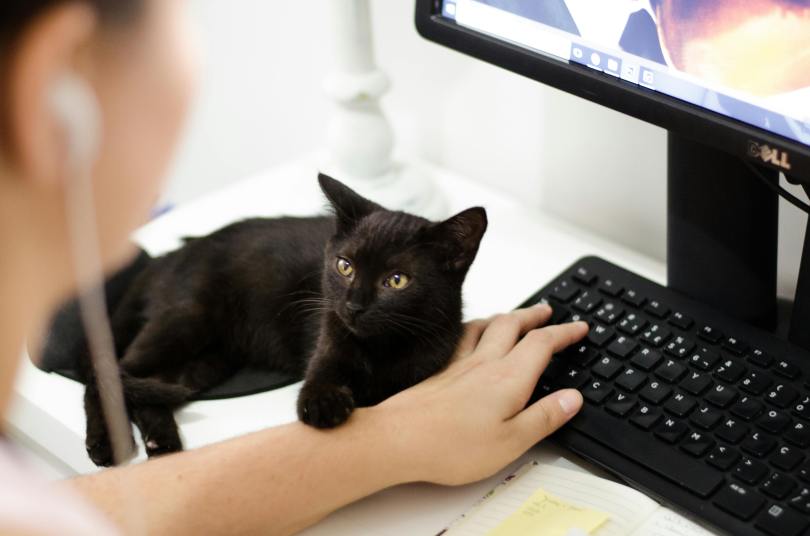
Written by Ed Carter – Featured “black cat” photo by Ruca Souza (Pexels)
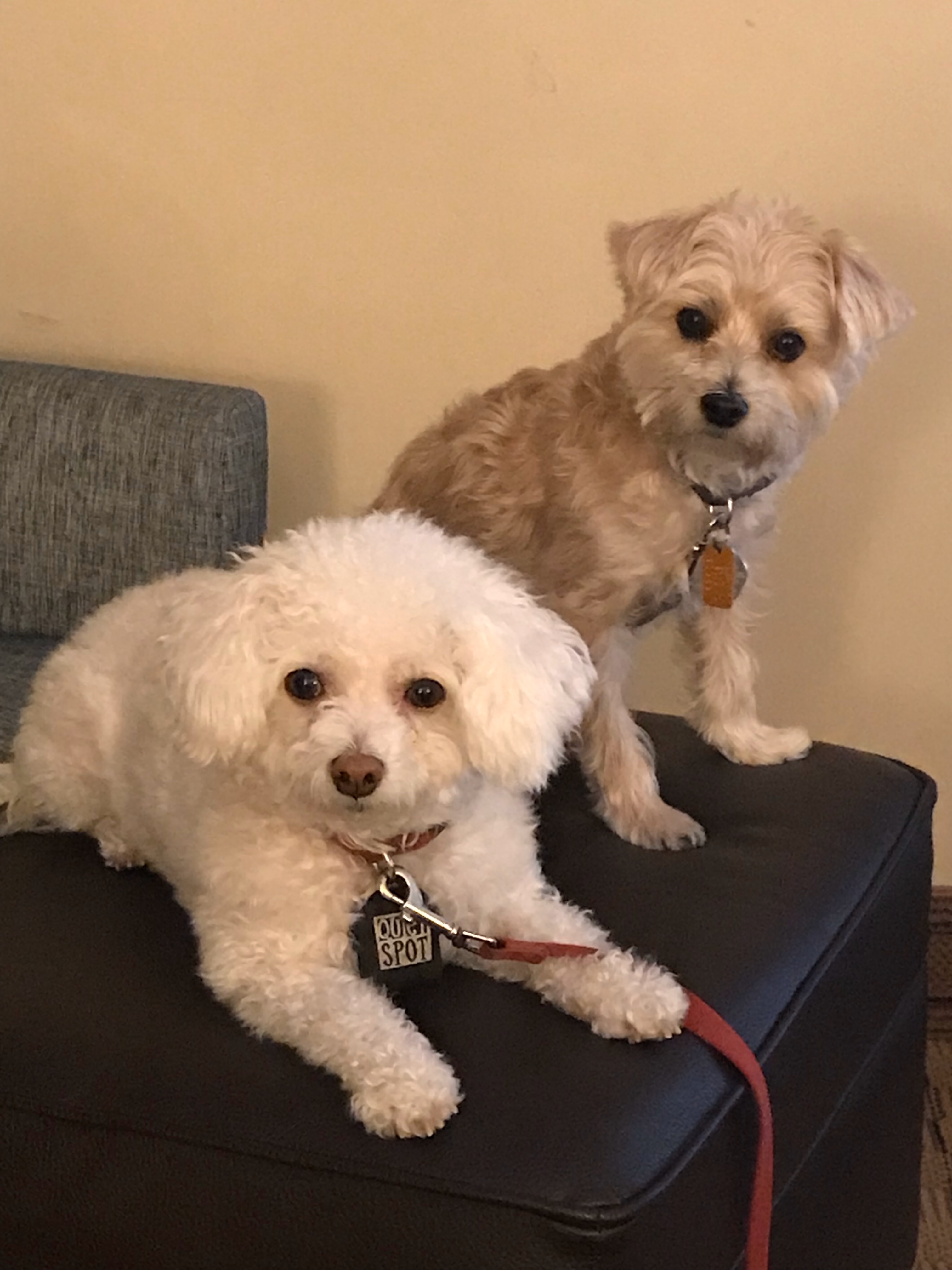
Editor’s Note: We welcome yet another blog by guest author Ed Carter on a subject near and dear to my heart. It was not until I retired before I discovered the joy, responsibilities (and challenges) of pet ownership. I have two little doggies (one bichon frise named “Gracie” and a yorkie-poo named “Brewster”) who keep me engaged and occupied throughout the day. “Daddy, I’m hungry.” “Can I have a bone?” “It’s time to go out…” Those frequent walks are good for me and part of this retiree’s long term wellness plan! But, pets may also restrict the flexibility of your schedule and limit travel. You cannot necessarily “drop everything” at the last minute and take a cruise or long car trip. (I’m not putting my “kids” in a pet jail, aka a kennel!) Planning is essential. Ed shares new perspectives on merging the demands of your digital job (encore career, business or retirement pursuit) with the needs of your sometimes fussy furry family members. PKF

Deciding to pack up and chase the digital nomad dream isn’t as easy when you have a pet depending on you. But it’s not impossible. You’ll just need a different kind of strategy—one that balances your professional goals with your animal companion’s comfort and safety. If you’re ready to take your work on the road without leaving your dog, cat, or other furry friend behind, here’s how to make it happen and thrive.
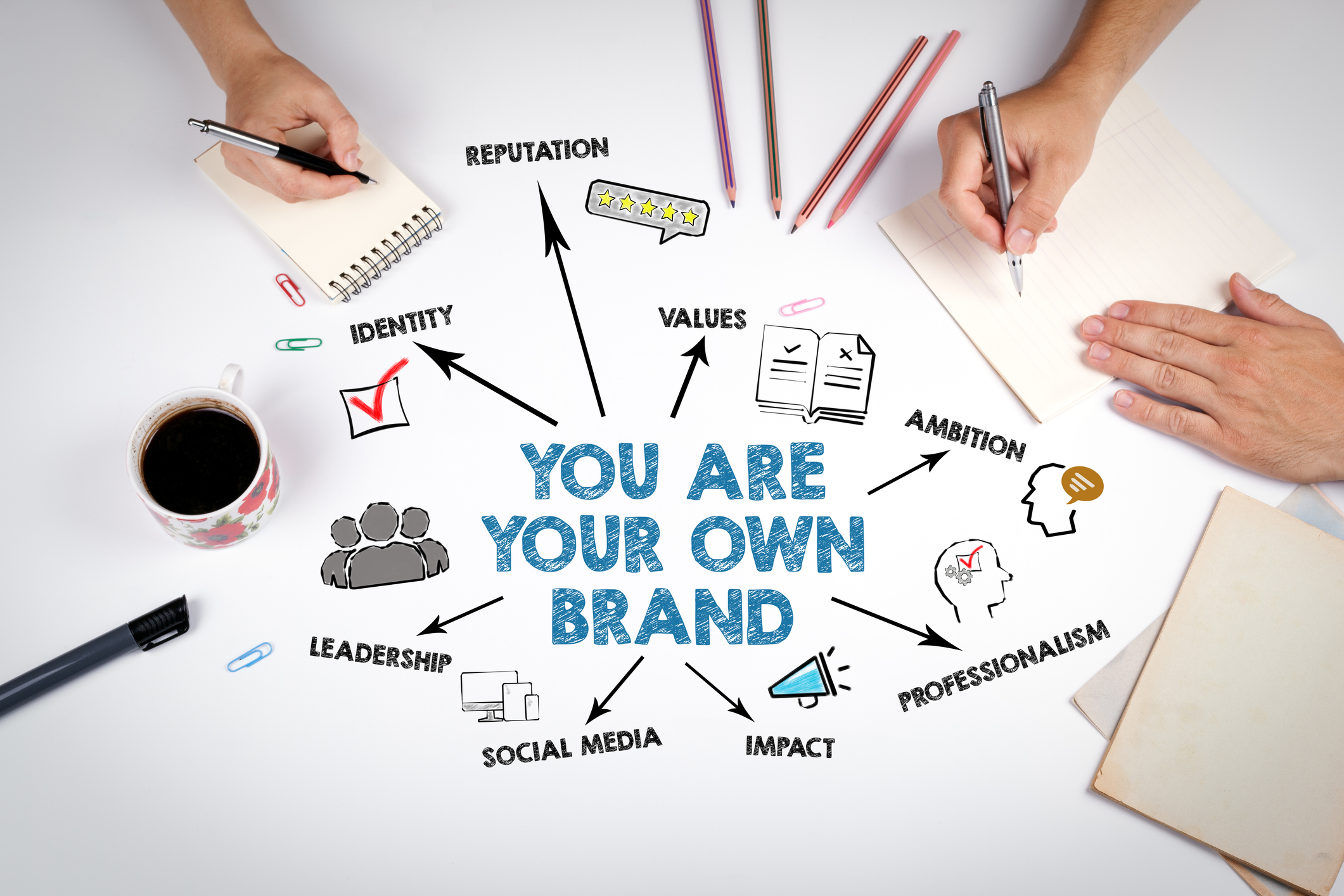
You Are the Brand—Market Like It

You’ve probably heard this before, but now it’s even more true: your personal brand matters. When your lifestyle is non-traditional, clients and employers want reassurance that you’re still professional and reliable. Build an online presence that highlights your experience, your skills, and the unique flavor you bring to the table. Whether it’s a clean portfolio website, a LinkedIn page with testimonials, or social proof via Twitter threads or TikToks, you’ll want your digital footprint to reflect someone who gets the job done—dog barking in the background or not.

How Education Can Reboot Your Career Path

If you’re feeling stuck in your current role or ready to transition into something more dynamic, going back to school can be the smartest move you make. For instance, by exploring a Bachelor of Science in Computer Science, you’ll open the door to new opportunities in tech, where the demand for problem-solvers and creative thinkers never slows down. Also, learning online means you’ll have the flexibility to pursue your degree at your own pace, so you can continue working while you build your future.

Pick a Job That Gives You Breathing Room

Not all remote jobs are built equally, especially when you’ve got a pup tugging at your sleeve or a cat trying to walk across your laptop. Jobs with flexible hours or asynchronous communication are a goldmine here. Think virtual assistance, freelance writing, UI/UX design, social media management, or coding—anything that lets you pause when you need to and doesn’t expect you to be online at 9:00 a.m. sharp in someone else’s time zone. It’s also worth considering pet-focused work like blogging about your travels together or offering online pet training consultations if you’ve got the skillset.

Stretching the Budget Is an Art

Moving around with a pet in tow doesn’t just cost more—it requires creative budgeting. Flights often come with extra fees for animals, and not every country has affordable vet care. To save, consider slow travel, staying in each spot for at least a month to cut down on housing costs. Sign up for loyalty programs, travel with collapsible gear to avoid bulky luggage fees, and always build an emergency buffer for unexpected pet expenses.

Downtime for You, Uptime for Them

You’ve got Zoom calls and deadlines, but your pet doesn’t care. Their boredom can quickly become your stress. To keep them occupied, build routines they can count on—morning walks, midday playtime, and evening snuggles. Fun pet toys, lick mats, and interactive feeders are your new best friends. If you’re in a location for a while, look into local pet daycare options or even trusted pet-sitters who can help when your calendar’s packed.

Communication Is Still the Currency

When your lifestyle is flexible, your communication needs to be rock solid. Clients shouldn’t have to guess if you’re off-grid or just ignoring their messages. Use tools like Slack, Notion, or Trello to keep everyone aligned. Set expectations upfront about your availability, stick to response time windows, and always double-check your time zone math before scheduling meetings. Transparency builds trust, and it’s the one thing you can’t afford to fumble when you’re juggling time zones, Wi-Fi hiccups, and a restless Labrador.

Get Paid Without the Headache

No matter where you’re working from, you still need to get paid like a pro. Skip the international wire transfer chaos and set yourself up with services like Wise, Payoneer, or Deel that cater to global freelancers. These platforms help cut down on currency conversion fees, and many now offer debit cards linked to your earnings. Just make sure you’re still handling taxes back home—yes, even if you’re on a beach in Bali.

Plug Into the Right Tools

Your tech stack can make or break your setup, especially when your “office” might be a hammock or a hostel lounge. A reliable VPN keeps your data secure on public Wi-Fi, while apps like Clockify help you track billable hours. Backup power banks and a universal adapter are non-negotiables, and a noise-canceling headset can turn a chaotic café into a client-ready zone. For pet tracking, consider a GPS collar if your dog has wanderlust, or a camera you can check from your phone to ease any separation anxiety.

Taking your life and career on the road with a pet isn’t going to be flawless. There’ll be missed trains, barking during meetings, and that one time your cat jumped on your keyboard mid-presentation. But with some intentional planning, the right tools, and a healthy dose of flexibility, the rewards far outweigh the bumps. You’re not just choosing freedom for yourself—you’re creating a life where your companion gets to come along for the adventure.

Check out other articles by Guest Author Ed Carter at this blog site:

© 2025 by Paul K. Fox and Ed Carter

Collegiates – Clean Up Your Social Media

banner-935469_1920_geralt

Getting Ready to Apply for a Job? It’s Time to Curate Your Social Media!

[Portions of this blog-post were first published in the January 31, 2019 issue of the Collegiate Communique sponsored by the PMEA State Council for Teacher Training, Recruitment, and Retention.]


Have you ever gone on the Internet and searched for your name? Have you assessed tree-1148032_1920_geraltwhat your image (and “personal brand”) say about you on all the social media platforms?


According to a McAfee family safety blog, in anticipation of future employers researching you and everything with your name on it, you should make a concerted effort to “launder” your online presence.

People are watching you right now. Like it or not — agree with the intrusion or not — you are being Googled, judged, and analyzed by the body of content you’ve posted online. Whether you are applying to a college, for a summer job, or even currently employed, you can bet someone who matters to your future is on your digital trail.

 “10 Easy Ways to Clean Up & Curate Your Social Media” by Toni Birdsong


laptop-3087585_1920_jeshoots-com_

Also recommended by Birdsong, the new “best practice” is to A) clean up any questionable content from all social profiles and B) design your social content in a way that “reflects your best self.” This means you should delete permanently from Facebook and other platforms:

  • Provocative or inappropriate photographs, videos, or posts
  • Posts or photos that include drinking or using drugs
  • Discriminatory comments related to race, religion, gender, etc.
  • Content that complains about a previous employer or colleague
  • Posts that are overly cynical, grumpy, or mean

notebook-614213_1920_firmbeeInstead, your profile information should reflect integrity and responsibility, so you should expand or add content that:

  • Projects a professional image
  • Shows a friendly, positive personality
  • Demonstrates that you are well-rounded, with wide range of interests
  • Models that you have great communication skills

Think the whole “future employers checking your social media accounts” thing is just an annoying urban legend? Think again.

It turns out that one in three employers have rejected candidates based on something they found out about them online.

“How to Clean Up Your Social Media During the Job Search” by Lily Herman

personal-3139194_1920_geralt

The McAfee blog really does a good job summing up ten steps to a better online presence:

  1. Make a hit list
  2. Think like the decision maker.
  3. career-3478983_1920_mohamed_hassanStreamline your selfies.
  4. Review past blogs.
  5. Google yourself.
  6. Inventory all social profiles.
  7. Edit your Twitter feed.
  8. Secure names and URLs.
  9. Change your online persona – for good.
  10. Start a career-focused Blog.

There are many samples for that last tip, my favorite from a former student of mine freely sharing his professional website at daviddockan.com. (Use “Music” for the password.) David included his resume, philosophy of music education, employment history, and photo/video samples of his teaching… a very powerful digital portfolio and marketing/branding technique… and of course, he landed his first music teacher job immediately after graduating from West Virginia University!

online-3412473_1920_kreatikarIf you need more than ten suggestions or a lot more detailed instructions based on the specific social media platforms, check out 30 Quick Tips to Spring Clean Your Social Media Presence” by Yvonne Dutchover.

Related articles previously posted at this site:


Employers can learn a lot about you from your resume and interview, but sometimes it takes a little bit more to sell yourself (although there’s a delicate balance between selling yourself and being transparent in the hiring process). Take advantage of the benefits of social media – it’s an often-needed extra step to show what you bring to the table, a way to add flair to your application, and make a lasting impression on your potential employers.

– “How to Clean Up Your Social Media Presence Before the Job-Search” by Lauren McAdams

job-3790033_1920_tumisu

In short, keep it clean and professional! “Police” your social media image and brand. And, as they say, “break a leg” at your interviews! Good luck in job hunting!

PKF

© 2019 Paul K. Fox


Photo credits in order from Pixabay.com: “social media” by Alexas_Fotos, “banner” and “tree” by geralt, “laptop” by JESHOOTS-com, “notebook” by FirmBee, “personal” by geralt, “career” by mohamed_hassan, “online” by kreatikar, and “job” by Tumisu.

Social Media – Boon or Nemesis?

This is an expanded version of an excerpt from my August 30, 2017 blog-post multi-part series entitled “Ethics for Music Educators II,” crossing over to multiple categories and perspectives for veteran music teachers, new or pre-service educators, and retirees, and touching on the timely issues of ethics, student/teacher safety, professional development, and personal branding.


social-media-3352921_1920_mohamed_hassan

The Paradox: Online Technology Pitfalls vs. Innovations in Education

This may be hard to believe, but when I started teaching in 1978, “social media” did not exist. If you can imagine this, there was no Internet yet, and most of us did not have computers. Flip or smart phones and tablets were only the subject of science fiction or Star Trek episodes. Guidelines for use or to avoid abuse of social media were not even a “seed” in our imaginations.

notes-3236566_1920_Alehandra13When MySpace and Facebook came upon the scene in 2003 and 2004, most school administrators recommended “stay away from these.” The online sharing and archiving of photos initiated the adoption of many other social media apps (Flickr and later Instagram, Tumblr, Snapchat, etc), which provoked new challenges in maintaining privacy, appropriateness, and professionalism. Danger, danger, danger!

However, very soon after, school leaders starting rolling out revolutionary “technology” such as “teacher pages” and school webpages, online bulletin board services, interactive forums, virtual learning environments like Blackboard and Blended Schools, and other educational tools which encouraged two-way communications among students in the class and the teacher. All of this is here to stay… so how should we use technology safely?

Cons – Negatives – Warnings

Paraphrasing current and past postings from the Pennsylvania Department of Education Professional Standards and Practices Commission Educator Ethics and Conduct Toolkit, social media and other digital communications may perpetuate the following problems:

  1. network-3354116_1920_geraltCommunicating digitally or electronically with students may lead to the blurring of appropriate teacher-student boundaries and create additional challenges to maintaining and protecting confidentiality.


  2. Texts, emails, and social media postings are not private, and may be seen by others, forwarded, and/or copied or printed.
  3. Out of context, they may be misinterpreted, appear to be inappropriate, and/or lead to a violation of “The Code.”
  4. It is the responsibility of the teacher to control his or her “public brand,” how he or she wants to be perceived by students, parents, colleagues, and the public. One’s public brand can and does impact perceptions, which in turn can impinge upon effectiveness.

“Let’s debunk the free speech myth: Many teachers believe they have the absolute First Amendment right to post anything they want on social networking sites, including party pix and diatribes about the boss. After all, they’re on their own time and using their own resources. Sadly, the courts say otherwise.”

– National Education Association

There are a lot of pretty scary scenarios out there modeling “real” ethical dilemmas for teachers in the use of emerging technology and social media. If you can, take the time to preview a few of these case studies and videos:

facebook-76536_1920_Simon

Many have said that Facebook and educators, in particular, should never mix. Although not entirely accurate or perhaps fair to the social media “giant” (you can carefully set-up private, content-specific Facebook groups with restricted access and limited privileges), this seems to be supported  by one news story about a Math teacher who loss her job because she failed to notice changes in her Facebook privacy settings, and the other, a clever Facebook vs. teacher presentation by R. Osterman. In my opinion, both of these should be “required viewing” by all college music education majors and current educators in all subject areas.


Pros – Positives – Recommendations

By no means are we implying that all forms of technology are “bad” or “dangerous” for music teachers. For example, some of us have explored the valuable web-based music education platforms of SmartMusic (MakeMusic, Inc.) and MusicFirst, and I can give you a handful of fantastic (free) links to online resources for the teaching of music theory, ear-training, and even sight-singing:

One of my favorite music educator blog-sites is Mrs. Miracle’s Music Room. Her March 2017 post, “Social Media for Music Teachers,” provides excellent insights into the safe and philosophically-sound use of Pinterest, Facebook, Twitter, Instagram, and YouTube. I cannot recall how many times I visited YouTube’s exhaustive library of recordings, sharing with my students both good and bad examples of the orchestral literature we were studying.

Another impressive article, “How Music Teachers Can Use the Power of Social Media” by Amanda Green, focuses on using the Internet to send out practice reminders, encourage practice uploads, share amazing performances, and communicate tips and reminders.

“Some people mistakenly assume that social media doesn’t apply to them. Take music teachers. Their work is done in person, one student at a time, right? Not at all. If you’re a music teacher and you don’t already have a Twitter account, a Facebook page, and a Tumblr blog set up for your music studio, you’re not taking advantage of all of the ways that social media can help your students. As the TakeLessons team notes: the Internet has enabled students to learn music from anywhere, often from teachers who are Skyping halfway across the country.” – Amanda Green

Here are several supplemental resources provided in NAfME Music in a Minuet:

woman-3190829_1920_shy_kurji

Finally, I urge you to review Chad Criswell’s submission, “Social Media and Communication in the Music Classroom,” which was published in the February 2012 NAfME Teaching Music.


Exercising Good Judgment and Professionalism Using Technology

Ethics are all about making good choices. Returning to “my state’s” excellent ethics tool kit, the following links were suggested for additional study:

Guiding questions about the above links from the PA Professional Standards and Practices Commission:

  • “After examining these resource guides for emerging technology, did any of the guidelines surprise you?”
  • “Do you envision any problem for you personally in adhering to these guidelines?”

During my sessions on ethics in music education, I quote these ten rules from the American Board for the Certification of Teacher Excellence:

  1. Know your school district or state’s policies on social media.
  2. Never “friend” or “follow” students on your personal accounts.
  3. Keep your profile photos clean
  4. Do not affiliate yourself with your school on a personal profile.
  5. Do not geo-tag your connection-3330561_1920_TheDigitalArtistposts with your school’s location.
  6. “Snaps” are forever! Anyone can take a screen shot of your posts.
  7. Never mention your school or the names of staff or students in any post.
  8. Set your Instagram account to private.
  9. Never complain about your job online.
  10. Never post photos of your students on social media

The final word, the most eloquent and comprehensive guide for all of us to use in our daily decision-making in the profession is the Model Code of Ethics for Educators, created by the National Association of State Directors of Teacher Education and Certification (NASDTEC).

“The Model Code of Ethics for Educators (MCEE) serves as a guide for future and current educators faced with the complexities of P-12 education. The code establishes principles for ethical best practice, mindfulness, self-reflection, and decision-making, setting the groundwork for self-regulation and self-accountability. The establishment of this professional code of ethics by educators for educators honors the public trust and upholds the dignity of the profession.” – NASDTEC

Here is the specific section applicable to social media and other technology. I cannot imagine that, after all of this, there is anything else left to say!

PKF

MCEE Responsible Use of Technology


Photo credits (in order) from Pixabay.com: “Internet” by TheDigitalArtist, “notes” by Alehandra, “social-media” by mohamed_hassan, “network” by geralt, “Facebook” by Simon, “Internet” (2) by TheDigitalArtist, “portrait” by Karla_Campos, “woman” by shy_kurji, “smartphone” by TeroVesalainen, and “connection” by TheDigitalArtist.


© 2018 Paul K. Fox