
Social Media – Revisited

Before you begin reading this article, please take a moment and peruse these past blog posts:

Although several of the cited research links may have expired (for example, PA Department of Education modified most of their website’s URLs), these provided the foundations of background information and references for the presentation I prepared for the DCMEA Virtual Conference in 2020 (during COVID) and serve as the starting point for the workshop I will share in-person at the DCMEA Winter Conference in January 2026. This blog provides updates and additional perspectives. Taken in combination with the above sources, you will be able to identify the benefits, positive models, precautions, and dangers of social media, social networks, professional learning networks, and sample emerging technologies as they apply to teachers’ professional development and education of students.


“THE WHY”

Before every clinic or publication I develop, I always try to spotlight the theme of “THE WHY” as preached by one of my favorite authors and motivational speakers – Simon Sinek! According to him, for organizations and individuals alike, “THE WHY” (rationale and priority) is more important than “THE WHAT” and “THE HOW.” (See this video.)

WHY is a collaborative discussion on social media essential? Why now?

 ”There’s a growing body of evidence suggesting that educators are facing increasing scrutiny regarding their social media use. Concerns include unprofessional conduct, inappropriate interactions with students, and the potential for cyberbullying and other negative impacts on student well-being.”

“Educators are increasingly concerned about how social media influences students’ social-emotional development and their interactions with others.” 
NEA Member Polling on Social Media…
NEA Impact on Social Media and Personal Devices on Mental Health
HHS Youth Mental Health and Social Media
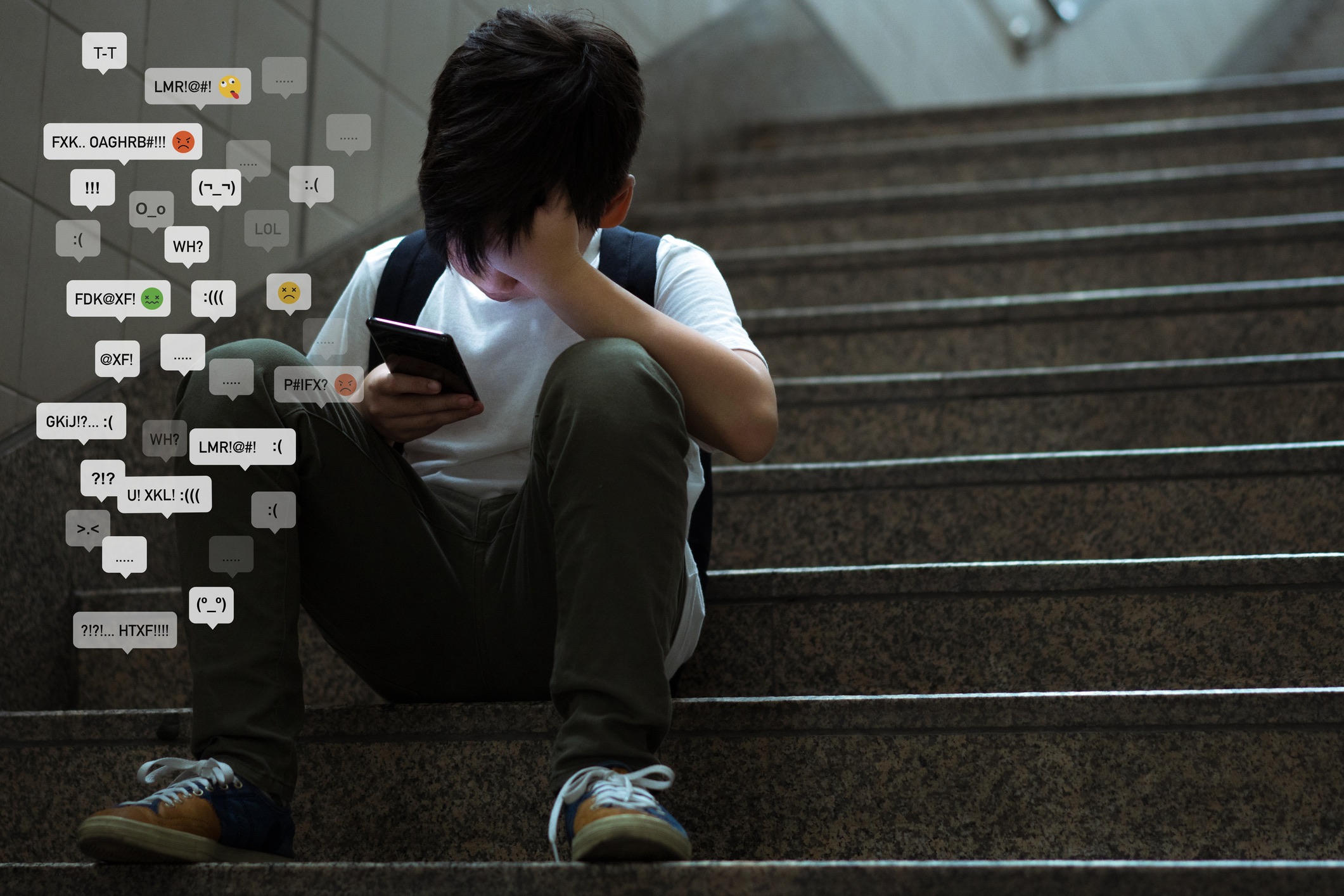
Frankly, there is still a lot of confusion about the dangers of social media, social networking, and other technology integrations into education. In Social Media – Boon or Nemesis, we mentioned that teachers should “debunk the free speech myth.” We demonstrated how the improper application of social media could get educators in trouble. Check out these sites for more info and corroborative stats:
Teacher Student Misconduct and the Critical Role of Social Media Screening
NCBA Social Media for School Employees
Social Media Hazards and Tips for Teachers
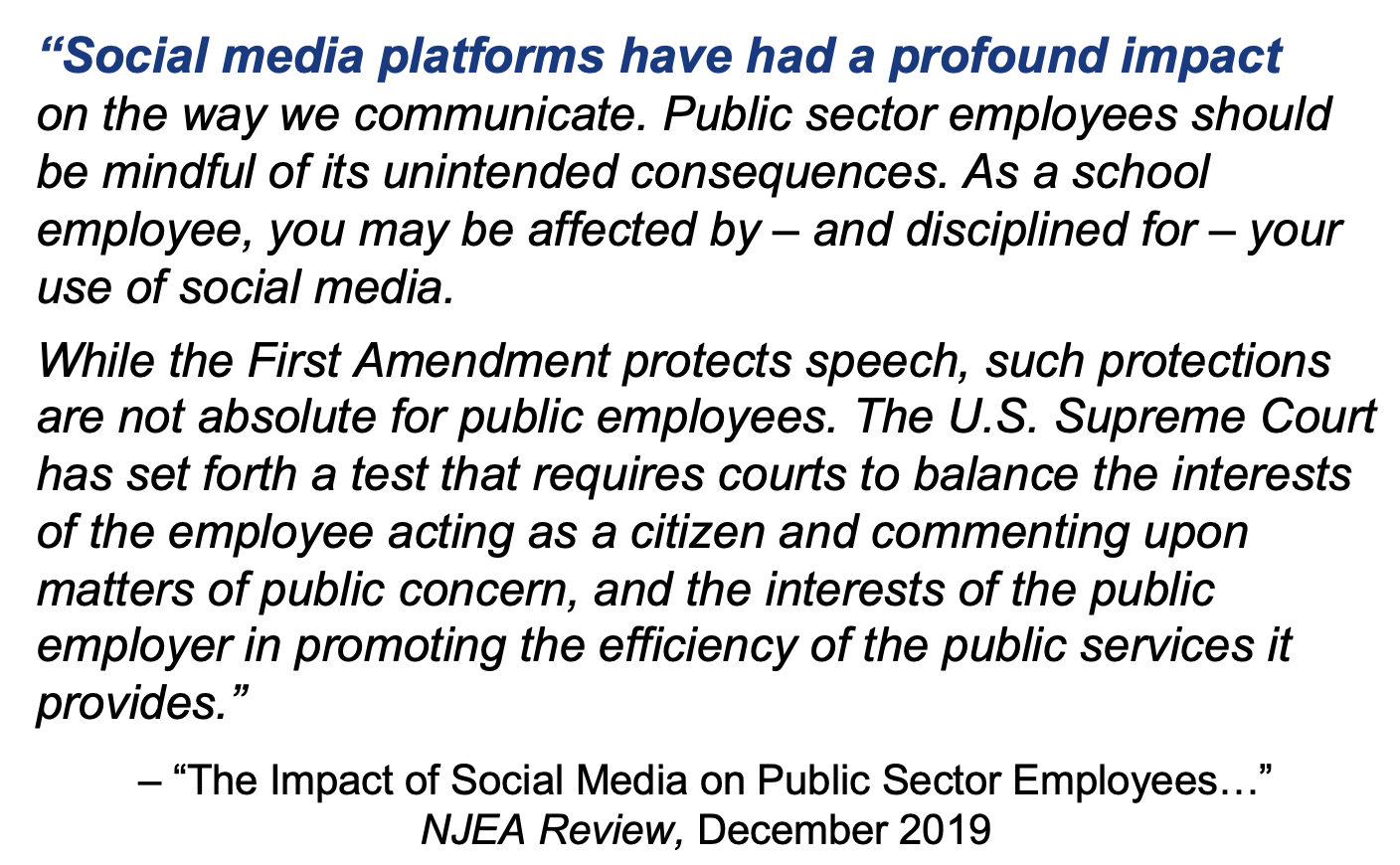
As always, our goal is to promote ethical practices in maintaining professionalism in the digital world.


“THE WHAT” Review of Definitions

“Social Media”

Social media are “websites and applications that enable users to create and share content or to participate in social networking.”
— Oxford Lexico.com online dictionary

“Social Network”

A social network is, 1. a network of social interactions and personal relationships.; 2. a dedicated website or other application which enables users to communicate with each other by posting information, comments, messages, images, etc.
— Oxford Lexico.com online dictionary

Professional Learning Community” (PLC)

A PLC is “a group of educators who meet regularly…” (usually in-person) “…to strategically enhance their teaching skills and improve student outcomes.”

versus “Professional Learning Network” (PLN)

A PLN is “a group of educators who gather more informally…” (usually in online communications) “…to problem-solve and generate ideas to enhance classroom practices. A PLN… often takes the form of an open forum, where participants can ask and answer questions based on their experiences.”
https://edtechmagazine.com/k12/article/2024/08/pln-vs-plc-perfcon


“THE HOW” Ethos of Care

Teachers use social media to…

  • Get inspired with new teaching ideas
  • Find resources for the classroom
  • Connect with other educators
  • Stay on top of trends and news
  • participate in an online community
  • Find teacher discounts and deals
  • Follow education companies and organizations
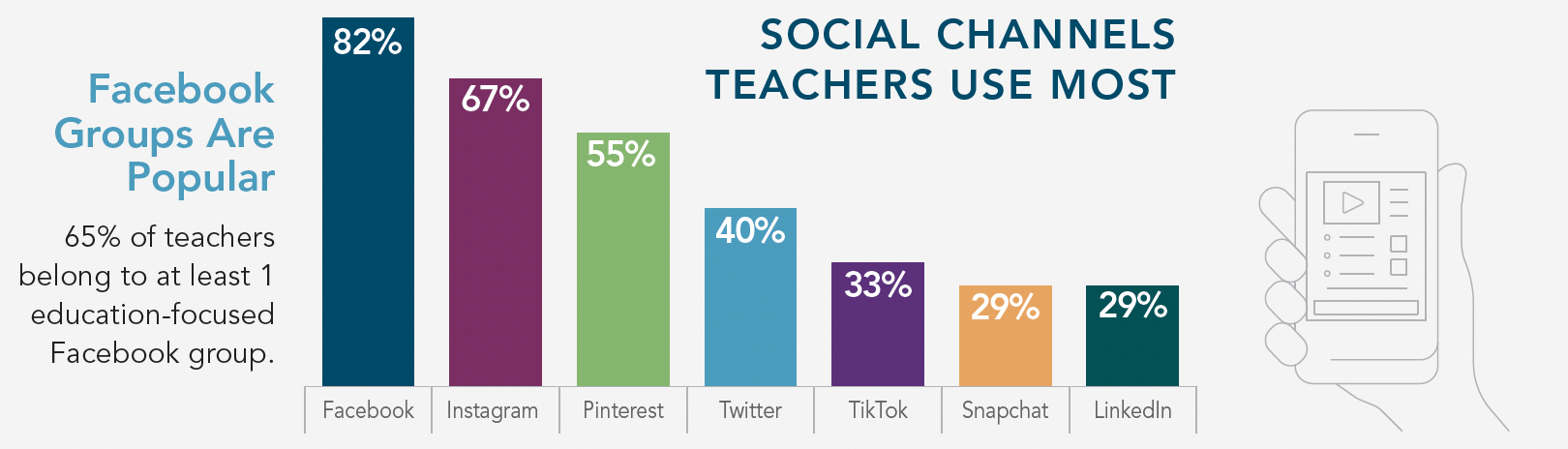
How Teachers Use Social Media
Teachers Social Media Use

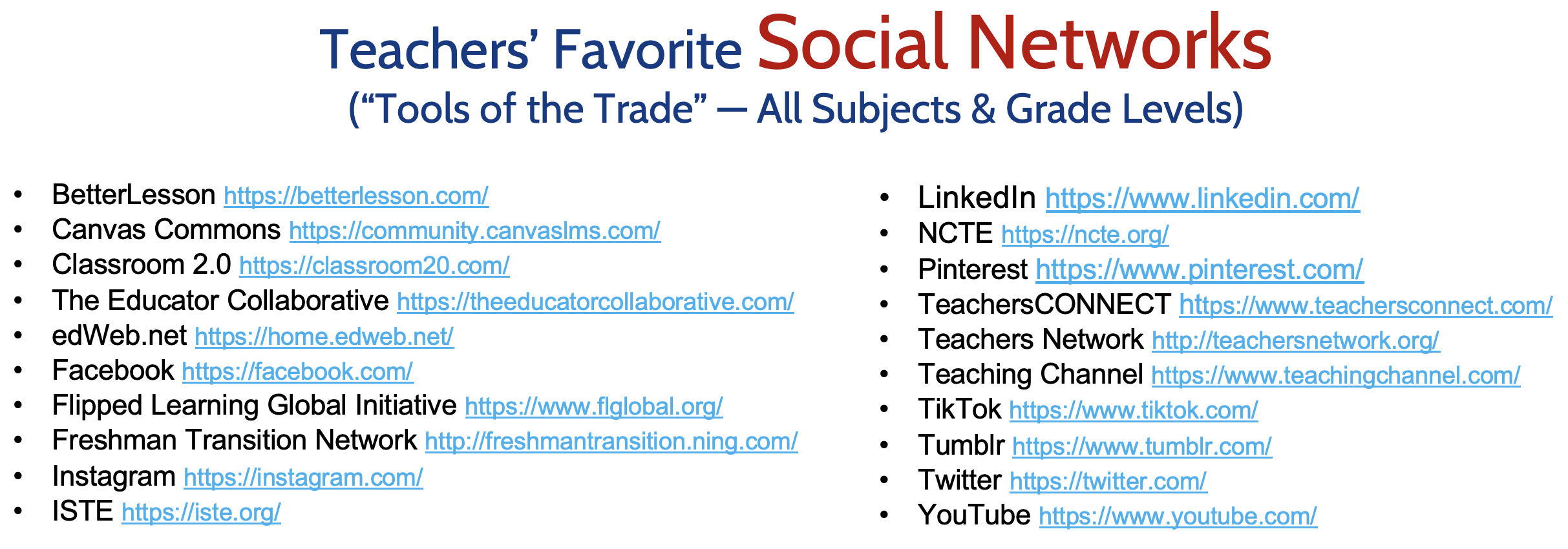
Social Networks for Teachers

We acknowledge that the benefits of social networking for educators are numerous by promoting professional collaboration and connections, including:

  1. Acquiring information to enhance understanding
  2. Keeping informed about latest developments in education
  3. Enhancing communications with students, parents, and the school community
  4. Fostering connections with colleagues in the field to expand an educator’s professional network.

Benefits of Social Media as an Educator

However, educators must exercise “sound judgment” and proper professional boundaries when using social media/networks with students. While the introduction of new technology provides many opportunities for teaching and learning, it is important to establish clear rules for appropriate student-teacher communication. In order to promote safety and appropriate boundaries while transitioning to a virtual teaching and learning environment, the Pennsylvania Professional Standards and Practices Commission offers suggestions to help educators protect themselves and their students.

  1. All technological resources and applications should be school entity-approved and only used in the manner prescribed. Ensure that you are familiar with the tools you are using in order to use them properly. 
  2. Communication with students should occur at designated times, consistent with traditional school day hours. Maintain transparency and protect yourself by keeping a record of all communications with students. 
  3. Clearly communicate when and how students should contact you and provide a timeframe for when students should expect responses to questions. 
  4. Avoid one-to-one interactions with students in chatrooms, FaceTime, Skype, or any other online space. School psychologists, school counselors and others providing one-to-one services to students should consult with school administration about the best mode of communication. 
  5. Use approved forms of communication by your school entity to connect with students and parents (i.e. Remind), use only your school email to communicate, and copy administration when communicating with parents or students. 
  6. When creating content or interacting in an online space with students, conduct yourself as you would if you were in school. If appearing on camera, dress professionally and be mindful of your surroundings and the camera’s view. 
  7. Do not “friend” or follow students on social media and do not allow students to “friend” or follow you on your personal social media. Remember, you do not have a “social” relationship with your students. 
  8. Keep your personal and professional lives separate. Do not share overly personal information about yourself with students.

PSPC Digital Tips for Educators

While exercising responsibility to maintain a respectful, safe, online environment, there are many benefits for the application of social media for students in the classroom:

  • Real-time communications can increase student engagement, collaboration, communication and overall participation
  • Many students may find it easier to participate in online discussions that in the classroom
  • Students can easily ask each other or their teacher questions about assignments outside of class
  • Students & teachers can quickly share resources at any time.
  • Teachers can easily share class announcements.
  • Social media can provide a contingency plan for last minute remote learning scenarios.
  • Students can organize school events with each other or with the help of a teacher.
  • Teachers can augment an online-only class by establishing a social media page or account simply for building community.
  • Students can practice using social platforms responsibly, including maintaining a respectful online discourse.
  • Teachers can communicate directly with parents as needed, and parents can stay informed of school news via a convenient, easily accessible platform.

However, please watch out for these potential drawbacks:

  • Social media can be a major distraction, especially if students are accessing their personal accounts independently.
  • If students primarily use social platforms to participate in class discussions, they can miss out on practicing face-to-face conversations and respectful in-person discourse.
  • Some students may see social media assignments as an opportunity to cyberbully their classmates, and there is always a risk of someone posting inappropriate content or language.

Social Media in Education


“THE WHAT” Several Success Stories

Balancing the positives and negatives and taking into account all of these precautions in order to maintaining professional boundaries, the integration of new technology into the classroom may offer excellent enrichment and increase student motivation for advanced learning. This may take many forms. Here are a few interesting models.

Prior to preparing for the DCMEA online session in 2020, I stumbled upon a truly inspiring post from Derek Muller, a gifted teacher, physicist, filmmaker, and founder of the YouTube channel Vertiasium which has captured millions of subscribers. He offers one of the BEST models of using social media to enrich the understanding of learning math and science (applicable to all fields of study), while at the same time, provides warnings against unbridled use of so-called “innovation for innovation’s sake.”

“I feel like people over the years are invariably drawn to use these words:  revolutionize and education. And there’s this sort of amnesia that we’ve had a hundred years’ worth of these predictions, worth of really groundbreaking technologies that have transformed other areas in our lives but have failed to fundamentally change the way we do education. So, I stand here today as a voice of caution, to think that the future of education is not one of revolutions…”

You need to watch this: How is Social Media Transforming the Future of Education? (2016)
Derek Muller

Say what you want about how COVID significantly disrupted our educational programs, evidence of learning loss, problems in socio-emotional development, decline of student engagement and self-motivation, rise in mental health struggles, decreased instructional time, and the effects of a new digital divide of under-served students (Annie E. Casey Foundation), happily there were surprisingly a few positive advancements the results of exploring new tools and methodologies we had to employ to tread water and cope with the catastrophe. (“When life hands you lemons, make lemonade!”)
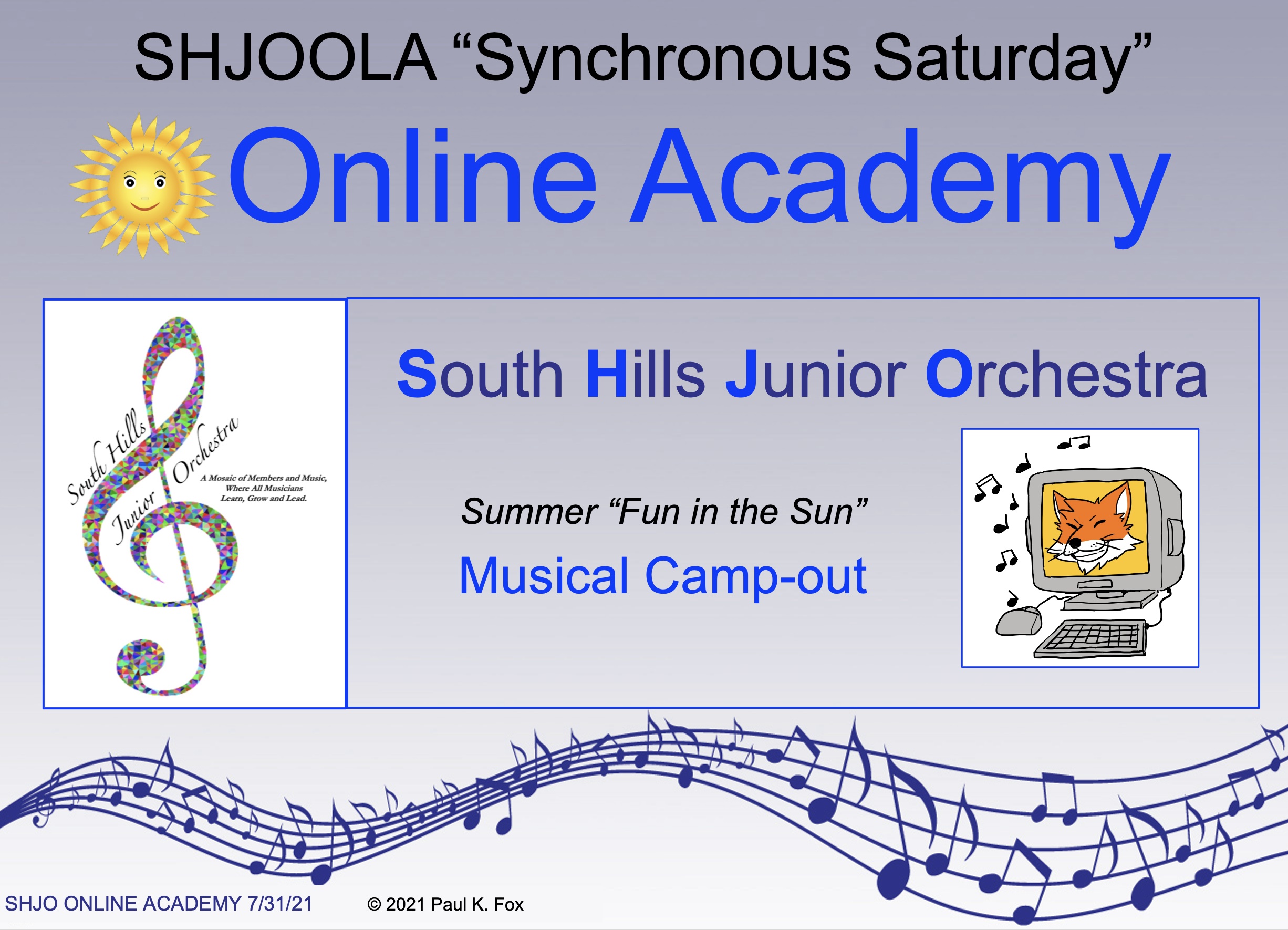
As one example, in the middle of preparing music for my community orchestra, we were shut down in 2020. No in-person rehearsals at the school. I then pivoted to creating my own online platform called SHJOOLA (South Hills Junior Orchestra Online Academy) in 2021 using MusicFirst. For a nominal yearly subscription fee, I was able to continue my Saturday morning classes (synchronous) as well as asynchronous (on-their-own time) learning using excellent applications in a virtual environment: MusicFirst Classroom, Focus on Sound, PracticeFirst, Sight-Reading Factory, Musition, Auralia, a web-based music notation program, and a huge library of method books and ensemble music. Several past blogs showed how we rolled out SHJOOLA:

The latter link above also provided a comprehensive list of supplementary resources (at the time) for online music education. Please peruse these even though some of them may have now gone inactive. We will provide supplemental links at the bottom of this article.

Another direction accented by the onslaught of the pandemic was digital streaming performances, incorporating technology in both the solo and ensemble settings. The following are two of my favorite examples of these to be viewed on YouTube:
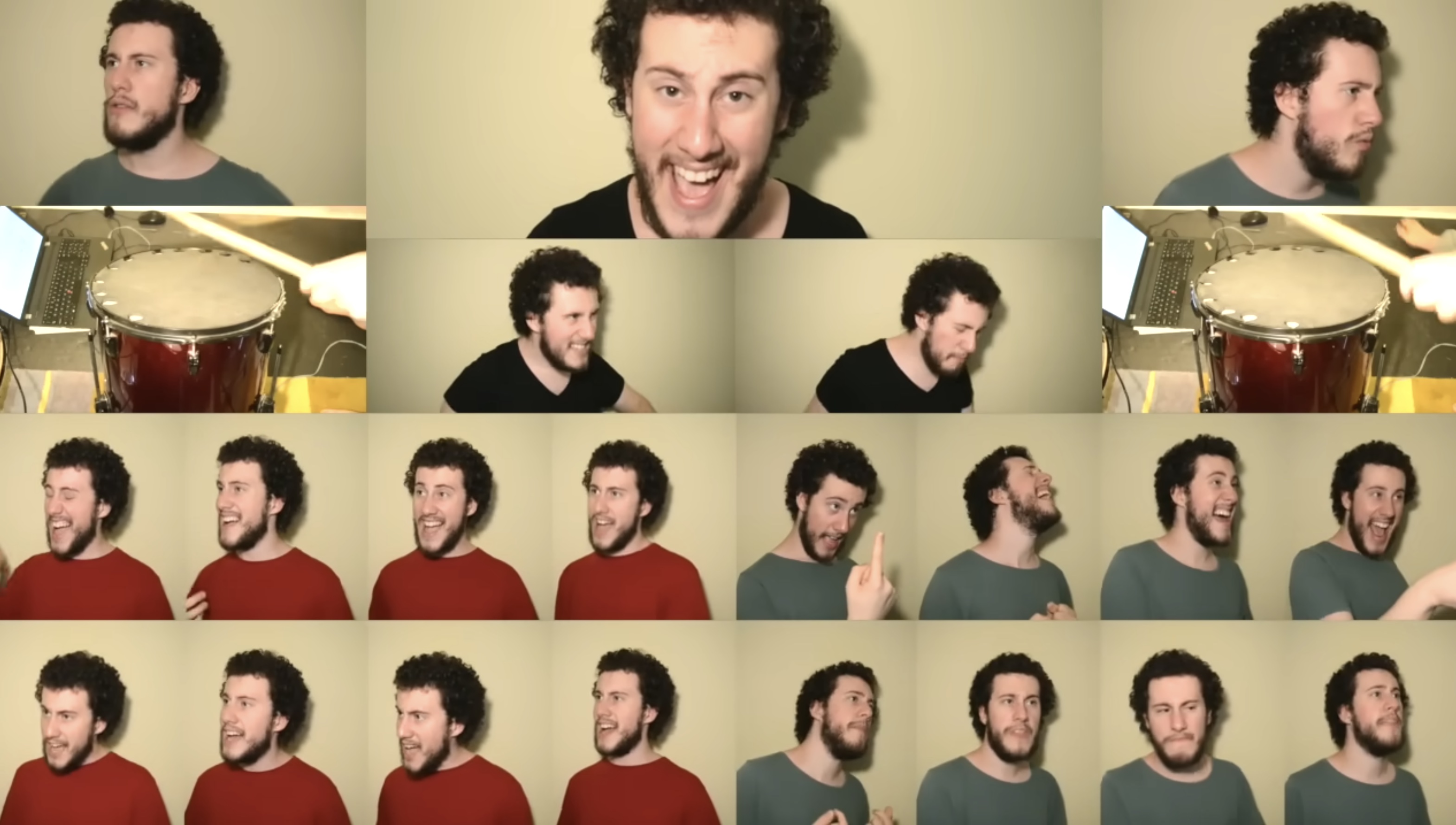
Circle of Life from Disney’s Lion King (2015-18) by Sam Robson, arranger, innovator and performer using multitrack recording of a single performer mixing as many as 50 voices at one time.
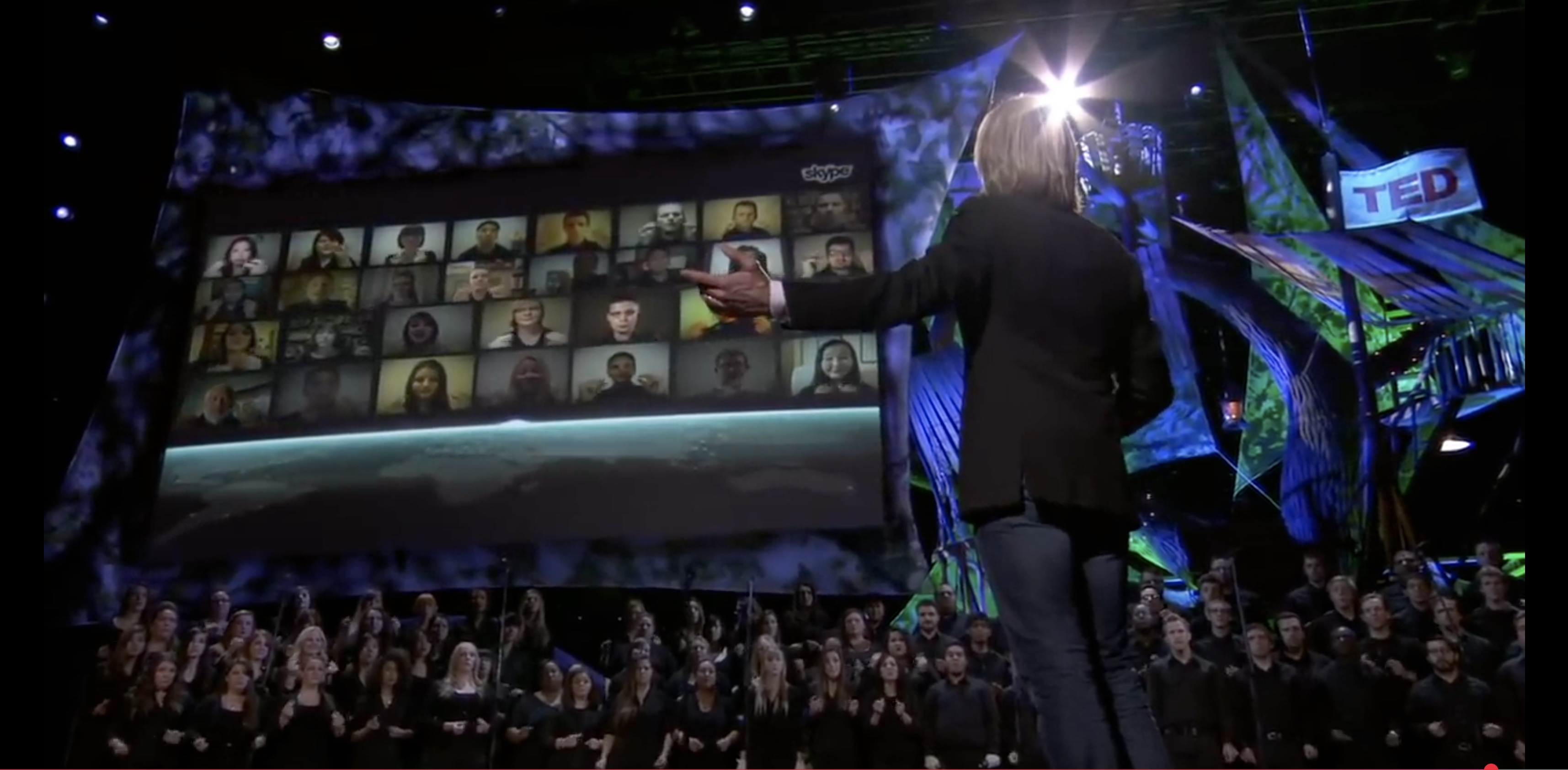
Cloudburst, a Virtual & Live Choir and TEDTALK (2013) by Eric Whitacre

Well… sorry this blog has grown to be so large! If you admit to understanding the potential hazards of and precautions for integrating social media, social networks and other technologies into education, we’ll close with the following bibliography of additional resources for further study. If that is not enough to whet your curiosity, stop back in several months to download a copy of my slide summary for the session I will present at the DCMEA Winter Conference on January 30, 2026.

Be careful stay safe and professionalbut ENJOY!

Sample Blogs

Several Major Platforms

Examples of Music Applications/Websites

PKF

© 2025 Paul K. Fox
Unleashing Your Sound: A Musician’s Guide to Making Waves and Gaining Fans

Guest Blog-Post by Ed Carter

Editor’s Note: I am taking several weeks off (a retiree’s summer vacation?) from writing articles and creating new material or proposals for workshop presentations on “the life cycle of a music educator – from preservice training to retirement.” Frequent guest contributor Ed Carter (see his past blogs here, here, and here) has graciously offered the piece below on advice for musicians to promote/market their music. Thanks for your insight, Ed!

In today’s digital age, getting your music discovered isn’t just about creating great art; it’s about strategic visibility and connection. For musicians, the realm of possibilities is expansive, yet selecting the right path can significantly influence your success. This article shared courtesy of Paul K. Fox delves into practical strategies to amplify your presence, engage with your audience, and carve a distinctive niche in the bustling world of music.

Dive into the Heart of Your Community

Embracing local music festivals and events can be a game-changer for your music career. These gatherings are not just events but a vibrant ecosystem of music lovers eager to explore new sounds. By participating, you’re not merely performing; you’re immersing yourself in a community that thrives on discovery. The connections made here, both with fans and other artists, can lead to collaborations and opportunities that extend far beyond the festival grounds.

Creating a Website

In the era of streaming, the significance of owning your distribution channel cannot be overstated. Setting up your own website brings your music directly to fans without intermediaries. This approach not only boosts your earnings but also strengthens your relationship with your audience. Offering exclusive content or merchandise can further personalize the experience, making your listeners feel like part of a special circle.

Crafting the Perfect Pitch

Waiting for discovery is a path of uncertainty. Seize the initiative by reaching out to publishing and media outlets with your music. Crafting a compelling pitch requires understanding what makes your music unique and conveying it in a way that resonates with journalists and bloggers. This proactive approach can lead to coverage that boosts your visibility exponentially, attracting new listeners and opening doors to new opportunities.

Mastering the Business of Music

Consider bridging the gap between music and marketing by going back to school for a business degree to sharpen your business acumen, essential for marketing and selling your art. A business degree equips you with vital skills in marketing strategies and financial management, crucial for a sustainable career in the arts. The convenience of online degree programs allows you to pursue education while continuing to create. Indeed, this could be the ticket to not just creating art but making a living from it.

Develop a Press Kit

A well-crafted press kit can be your passport to gaining attention in the music industry. This toolkit should encapsulate your music, personality, and achievements, providing a comprehensive snapshot to journalists and industry insiders. High-quality photos, a compelling bio, and standout music samples can make your press kit an irresistible introduction to your sounds.

Hosting Your Own Event

Why wait for an invitation when you can create your own event? Hosting your own event or showcase puts you in the driver’s seat, allowing you to present your music exactly as you envision it. This initiative not only demonstrates your entrepreneurial spirit but also creates a buzz around your work, attracting both fans and industry professionals to see what you’re all about.

Harmony and Philanthropy

Aligning your music with charitable causes is a powerful way to expand your reach while contributing to the greater good. Offering your talents for charity events or auctions showcases your commitment to social causes and can endear you to a broader audience. This approach not only elevates your profile but also enriches your musical journey with meaningful connections and experiences.

The journey to getting your music discovered is multifaceted, requiring creativity not just in your art but in your approach to marketing and community engagement. By exploring local music festivals, leveraging your online presence, and engaging directly with the media, you’re building a foundation for success. Supplementing your artistic talents with business skills and giving back to the community add depth to your career, making your music resonate on a deeper level. With dedication and strategic effort, your sound can rise above the noise, connecting with fans and opening doors to new opportunities.

© 2024 Paul K. Fox

Virtual/Remote/Alternative Music Ed

Resources for Teaching Music Online During the COVID-19 Pandemic

COVID-19

The dreaded messages came to almost every educator:

EMERGENCY ALERT:

Out of an abundance of caution relating to the prevention of spreading the coronavirus, beginning on _____, all after-school, extra-curricular, and outside group meetings and rehearsals are postponed until further notice.

* * *

Dear Students, Parents, and Staff:

All ______ school programs such as sports, band and jazz concert, spring musical, choir festival, dance and voice recitals, booster meetings and fund-raisers, and the music department adjudication trip, are cancelled.

* * *

Important announcement:

The spring concert scheduled for March 28 at the Performance Hall will not take place. A decision about whether to cancel this performance or postpone it to another date will be made as the community health situation continues to evolve.

And then, the Governor closed the schools for two to eight weeks (or more?).

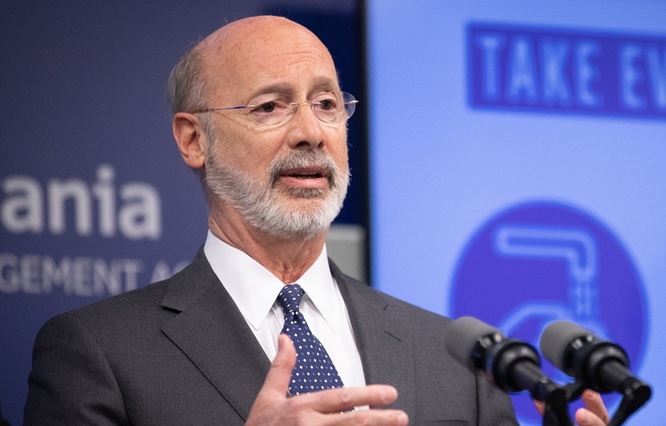
Governor Wolf
Pennsylvania Governor Tom Wolf

Dear Families,

Thanks for your patience as we work through the events that have been occurring and planning for what lies ahead. We hope you and your family are staying well, and we know that many of you are looking forward to a Virtual Learning experience for your child.

We want to share some important information with all of you as we prepare this transition. While we do not know how long our buildings will be closed, we want to be prepared for ______ Virtual Learning for as long as it is necessary.

The immediate effect? Suddenly, our kids were sent home for an extra-early spring break, hopefully remembering to bring their instruments and music! Trying to “embrace” this world emergency (from a safe distance, of course), no one had a “crystal ball” to predict or even imagine the far-reaching effects, many of which we are still awaiting answers!

  • When will we be able to go back to school?
  • How can we collaborate, grow, and share our music learning, personal progress, repertoire and skills learned over the past year?
  • What will happen to everything all of us were forced to leave unscheduled, unfinished, or “in production?”
  • Will commencement be cancelled, too?
  • Worst yet, will our seniors fail to graduate, receive their diplomas, and start college on time next fall?

Every music teacher I know cried out, “How can I reach-out to my students to help them find alternative avenues to making music? The challenge is now thrust upon us to find ways to inspire our students to continue building on their “musical momentum” in daily practice, as well as stimulate other sources of artistic enrichment and the self-motivation to create new music goals.

My first act as a community youth director was to “fire up” my orchestra’s website and Facebook page. We regularly send out Fox’s Firesides of articles on practice tips, music problem-solving techniques, goal-setting, keeping a journal, developing teamwork, learning to conduct, acquiring college references, showing concert etiquette, etc. and other notices to the members and parents using a free-version of Mailchimp.

SHJOclips

In addition, we launched something called SHJO.clips, low-tech but hopefully effective in “exciting” future music enrichment and exploration: online music games, worksheets, sample recordings and videos, practice excerpts, music theory exercises, sight-reading and ear training assignments, and much more… a treasure chest of FUN things-to-do or c.l.i.p.s. to do ON THEIR OWN: Create, Listen, Inspire, Practice, Share.

Archives of both Fox’s Firesides and SHJO.clips are available by clicking the menu at the top or visiting http://www.shjo.org/ (look under “resources”).

Are we permitted access to our students and classes online during the official closures? Does your school use Canvas or other virtual educational environments to hold digital classes, post learning activities, make assignments, provide feedback, and/or assess your students’ achievement? (Are you even allowed to do so? I cannot answer this essential question because I do not know school law and I retired from the public schools in 2013.)

smartmusic and musicfirst

Are you one of the “lucky ones” who had previously set-up either the Smartmusic or MusicFirst online platforms (and the students know how to use the it) and can continue encouraging your band instrumentalists, string players, or vocalists to sight-read, practice, explore new literature, perform, record, and assess themselves?

Do you and your students need cheering up with a “pep-talk” by Dr. Tim Lautzenheiser, the famous “music educator’s guru,” guest speaker and expert motivator often presented as the kick-off keynote session at music conferences. “Dr. Tim” challenges us all to focus on what’s important and how we can put our time to good use:

“Life is about 10% what happens to me and 90% how I react to it.”

The pessimist sees the challenge in every opportunity, but the optimist sees the opportunity in every challenge.”


Set aside 17 minutes to recharge with this video. Then, share it with your students!

I am proud to admit that, in a single act, our profession has so far risen to the occasion. In an effort to help our “stranded” programs and motivate music educators and their students, so many tech experts jumped into the fray to post their recommendations and resources. At the end of this blog-post is a (very long) list of links from them, at least active as of today, for distance learning strategies and virtual music education.

logo 2
https://www.pmea.net/council-for-ttrr/

We have taken the time to compile many of these suggestions and warehouse them on the Pennsylvania Music Educators Association State Council for Teacher Training, Recruitment, and Retention website here. Look under the heading “Virtual Music Learning – Engaging Students During the Break.” This is the impetus for this article. The samples provided below (probably only the “tip of the iceberg” and already out-of-date) are by no means all-comprising and fully comprehensive. With every minute of the day dragging on during this crisis and we are still “shut in” our homes away from our music students, new solutions are being posted to Facebook groups like Music Educators Creating Online Learning.

Click here if you would like a printable PDF file of this revision of resources.

Take the time to research what might work for you. At the very least, pass on the music games and puzzles offered at sites like Music Tech Teacher or Cornerstone Confessions. Venture into learning new apps like Zoom.com for webinar/meeting management.

Music does make a difference in all of our lives… and we need to keep our musicians and singers “at it” even during this catastrophe!

Best wishes to you and yours. Stay safe and healthy! Thank you for your dedication and contributions to music education!

(Editor’s Note: We have continued adding many more updates to the list below at the website of the PMEA Council for Teacher Training, Recruitment, and Retention accessible from this link.)

PKF


Sources of Online Music Media and Instruction

Photo credit from Pixabay.com: “child-play-game-technology-3264751” by ExplorerBob

© 2020 Paul K. Fox

Tips on Student Teaching

Digest of Resources for Pre-Service Music Teachers

Acknowledgments: Special thanks for the contributions of Blair Chadwick and  Johnathan Vest, who gave me permission to share information verbatim from their PowerPoint presentation, and to John Seybert (formerly of Seton Hill University), Ann C. Clements, Robert Gardner, Steven Hankle, Darrin Thornton, Linda Thornton, and Sarah Watt (Penn State University), Dr. Rachel Whitcomb (Duquesne University), and Robert Dell (Carnegie-Mellon University).

Photo credits: David Dockan, my former student, graduate of West Virginia University, now Choir Director / Music Teacher at JEJ Moore Middle School in Prince George, VA.


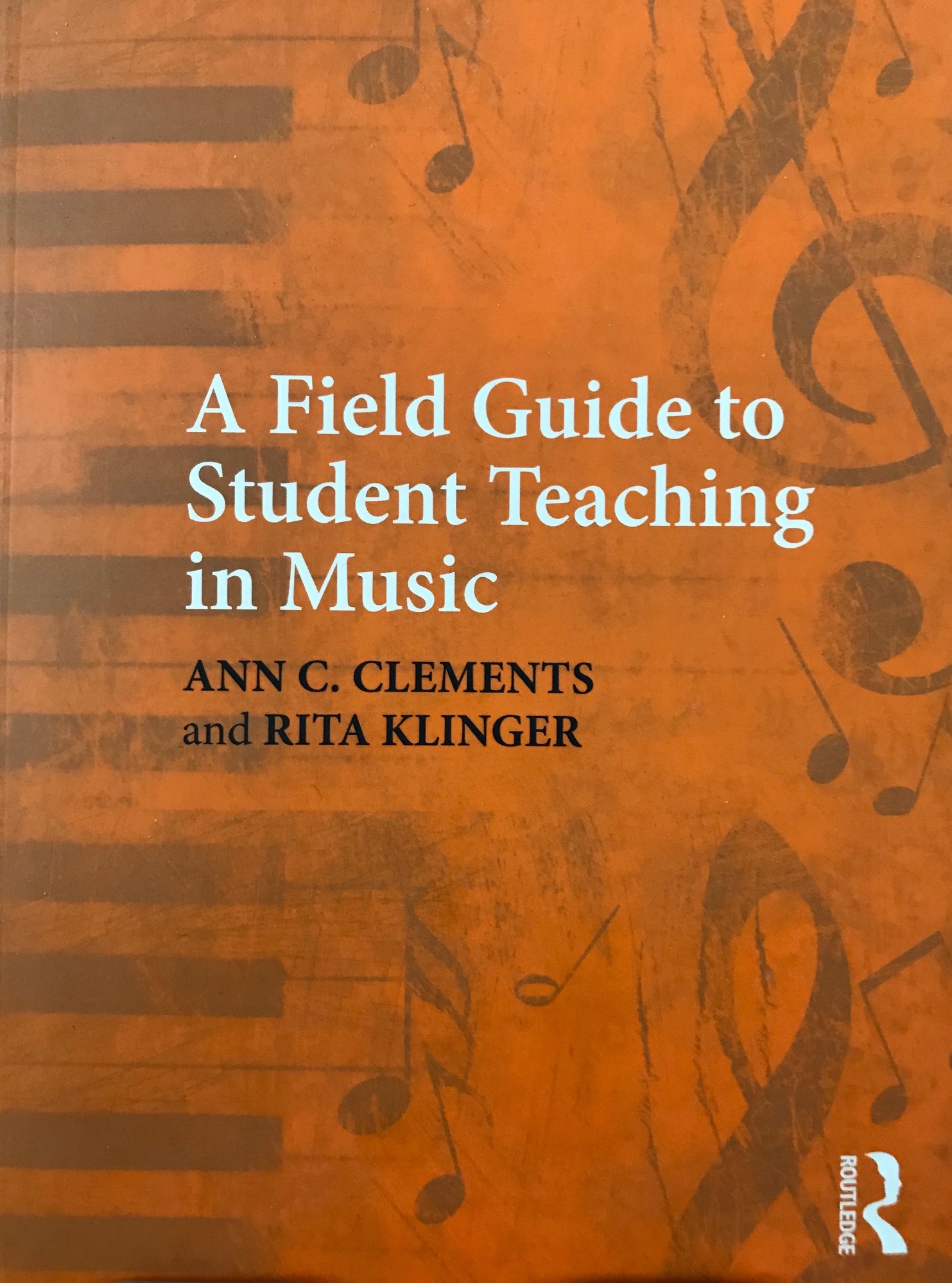
a field guide to student teaching in musicIf you are not fortunate enough to own a copy of A Field Guide to Student Teaching in Music by Ann. C. Clements and Rita Klinger (which I heartily recommend you go out and buy, beg, borrow, or steal), this blog provides a practical overview of field experiences in music education, recommendations for the preparation of all music education majors, and a bibliographic summary of additional resources. Representing that most critical application of in-depth collegiate study of music education methods, conducting, score preparation, ear-training, and personal musicianship and understanding of pedagogy on voice, piano, guitar, and band and string instruments, the student teaching experience provides the culminating everyday “nuts and bolts” of effective music education practice in PreK-12 classrooms.

Possibly the best definition of “a master music teacher” and the process for “hands-on” field training comes from the Penn State University handbook, Partnership for Music Teacher Excellence: A Guide for Cooperating Teachers, Student Teachers, and University Supervisors.

“The goal of the Penn State Music Teacher Education Program is to prepare exemplary music teachers for K-12 music programs. Such individuals can provide outstanding personal and musical models for children and youth and have a firm foundation in pedagogy on which to build music teaching skills. Penn State B.M.E. graduates exhibit excellence in music teaching as defined below.”

“As PERSONAL MODELS for children and youth, music teachers are caring, sensitive individuals who are willing and able to empathize with widely diverse student populations. They exhibit a high sense of personal integrity and demonstrate a concern for improving the quality of life in their immediate as well as global environments. They establish and maintain positive relations with people both like and unlike themselves and demonstrate the ability to provide positive and constructive leadership. They are in good mental, physipenn state university logocal, and social health. They demonstrate the ability to establish and achieve personal goals. They have a positive outlook on life.”
“As MUSICAL MODELS, they provide musical leadership in a manner that enables others to experience music from a wide variety of cultures and genres with ever-­‐‑increasing depth and sensitivity. They demonstrate technical accuracy, fluency, and musical understanding in their roles as performers, conductors, composers, arrangers, improvisers, and analyzers of music.”

“As emerging PEDAGOGUES, they are aware of patterns of human development, especially those of children and youth, and are knowledgeable about basic principles of music learning and learning theory. They are able to develop music curricula, select appropriate repertoire, plan instruction, and assess music learning of students that fosters appropriate interaction between learners and music that results in efficient learning.” — Penn State University School of Music

Making a smooth transition from “music student” to “music teacher” requires a focus on four goals:

  1. Preparation to your placement in music education field assignments
  2. Understanding of the relationships between your cooperating teacher(s) and the university supervisor (and you!) and promotion of positive communications
  3. Adjusting to new environments
  4. Development of professional responsibilities

As mentioned before, details of these should be reviewed in a reading of the introduction to A Field Guide to Student Teaching in Music by Ann. C. Clements and Rita Klinger.

Not to “toot my own horn,” but you are invited to peruse my past blogs on this subject:


daviddockan_choir

Observations

“Take baby steps,” they say?  Before your college music education professors release you to direct a middle school band, teach a general music class, or rehearse the high school choir, you will be asked to observe as many music programs as possible.

My advice to all pre-service teachers is, regardless of your formal assignments by your music education coordinator, try to find time to observe a multitude of different locations, levels, and socioeconomic examples of music classes. Do not limit yourself to those types of jobs you “think” you eventually will seek or be employed:

  • Urban, rural, and suburb settings in poor, middle, and upper-middle socioeconomic areas
  • Large and small school populations
  • Both private and public school entities
  • Elementary, middle, and high school grades
  • General music, tech/keyboard, guitar, jazz, band, choral, and string classes
  • Assignments as different from your own experiences in music-making

Ann Clement and Rita Klinger make the distinction between simply observing and analyzing what you see:

“Observation is a scientific term that means to be or become aware of a phenomenon through careful and directed attention. To observe is to watch attentively with specific goals in mind. Inference is the act of deriving logical conclusions from premises known or assumed to be true. Inference is the act of reason upon an observation. A good observation will begin with pure observation devoid of inference. After an observation of the phenomenon being studied has been completed, it is appropriate to infer meaning to what has been observed. Adding inference after an observation completes the observation cycle — making it a meaningful observation.”A Field Guide to Student Teaching in Music

Student Teaching in Music- Tips for a Successful Experience.png

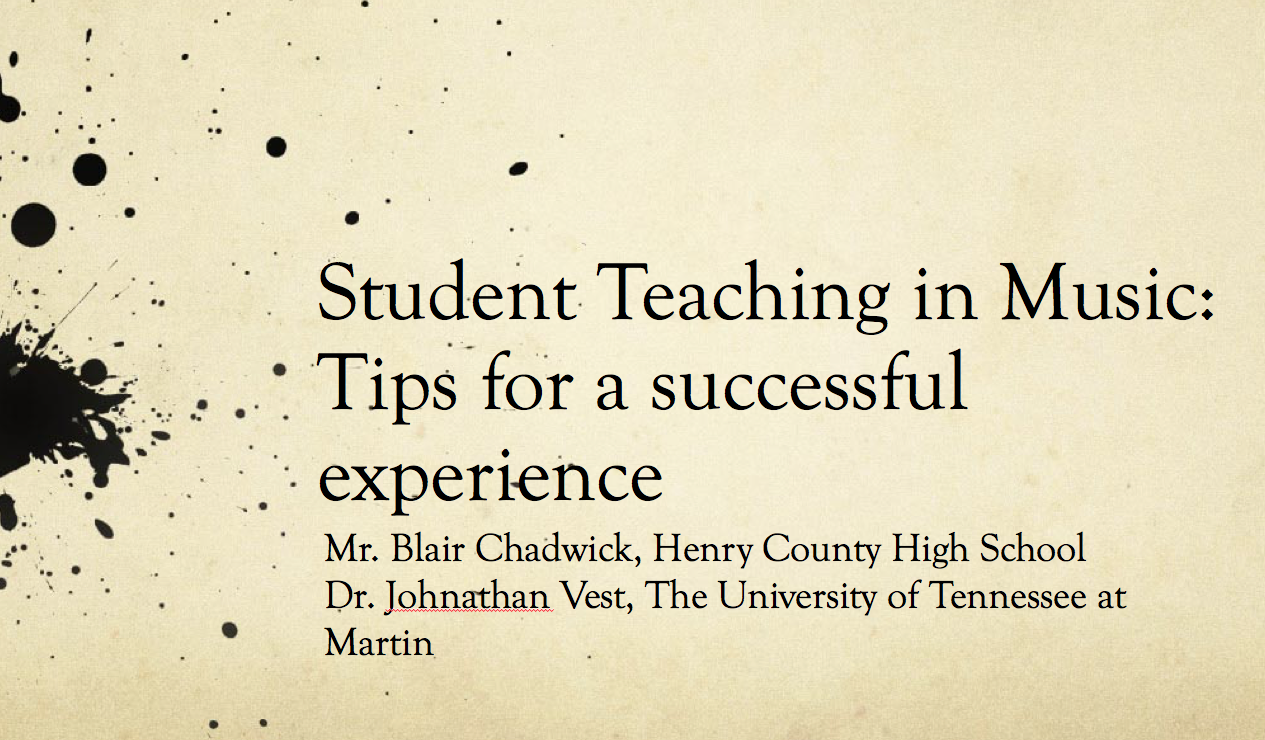
Some tips (from Student Teaching in Music: Tips for a Successful Experience by Blair Chadwick and Dr. Johnathan Vest):

  1. Have a specific goal for the observation in mind before you begin
  2. Make copious notes, but don’t write down everything.
  3. Write down techniques, quotes, musical directions or teacher behaviors that seem important.
  4. Don’t be overly critical of your master or cooperating teacher during the observation process.  Remember, they are the expert, you are the novice.  Your perspective changes when you are in front of the class.
  5. Hand-write your notes. An electronic device, although convenient, is louder and can provide distraction for the teacher and students, and you. Write neatly so you can transcribe the notes later.
  6. An small audio recorder can be very useful in case you want to go back and hear something again.

It is appropriate to mention something here about archiving your notes and professional contacts. It is essential that you organize and compile all of the data as you go along… catalog the information in your “C” files (don’t just stuff papers in a drawer somewhere):

  1. Contacts (cooperating/master teachers and administrators’ phone/email addresses)
  2. Course work outlines and class observation journals
  3. Concerts (your own solo and ensemble literature and school repertoire)
  4. Conferences (session handouts, programs)

Why is this important? Don’t be surprised if/when you are asked to teach in a specialty or grade level outside your “major emphasis,” and you want to find that perfect teaching technique or musical selection previously observed that would be a help in your lesson.


dockan4

Student Teaching

The success of the student teaching experience depends on all its parts working together. They include:

  • The Student Teacher
  • The Cooperating Teacher
  • The University Supervisor
  • The Students
  • The Administration and other teachers and personnel in the building

First, check out your university’s guidelines (of course), but here are “The Basics.”

  • Punctuality (Early = on time; On time = late; Late = FIRED)
  • Dress and Appearance: Be comfortable yet professional.  Be aware of a dress code if one exists, as well as restrictions on tattoos, piercings, and long hair length (gentlemen.)
  • Parking/Checking-In: Know this information BEFORE your first day
  • Materials and Paperwork: Contact your Cooperating Teacher  BEFORE the first day. Know what you need and bring it with you on the first day.

Teacher Hub in “A Student Teaching Survival Guide” spelled out a few more recommendations:

  1. teachhub.comDress for success (professionally)
  2. Always be prepared (checklists, planner, to-do’s)
  3. Be confident and have a positive attitude (if needed, “fake” self-confidence)
  4. Participate in all school activities (everything you can fit into your schedule: staff meetings, extra-curricular activities assigned to the cooperating teacher, and even chaperone duties for a school dance, etc.)
  5. Stay clear of drama (no gossip!)
  6. Don’t take it personally (embracing constructive feedback and criticism)
  7. Ask for help (that’s why you and mentor teachers are there)
  8. Edit your social media accounts (privacy settings and no school student contacts)
  9. Approach student teaching as a long interview (always, throughout the student teaching assignment: “best foot forward” and showcase of all of your qualities)
  10. Stay healthy (handling stress, good sleep, and other positive health habits)

Common questions that may be asked by the student teacher (Chadwick and Vest):

  • Will my cooperating teacher (CT) and school be a good fit for me?
  • Will I “crash and burn” my first time in front of the class?
  • What if  my CT won’t let me teach?
  • What if my CT “throws me to the wolves” on the first day?
  • Will the students respect me?
  • How will I be graded?
  • Will I pass the Praxis??


national core arts standards

Planning

Chapter 2 “Curriculum and Lesson Planning” in A Field Guide to Student Teaching in Music provides 12 pages covering scenarios, discussions, and worksheets on all aspects of instructional planning, including the topics of philosophy of music teaching, teaching with and without a plan, long-term planning, and assessment and grading.

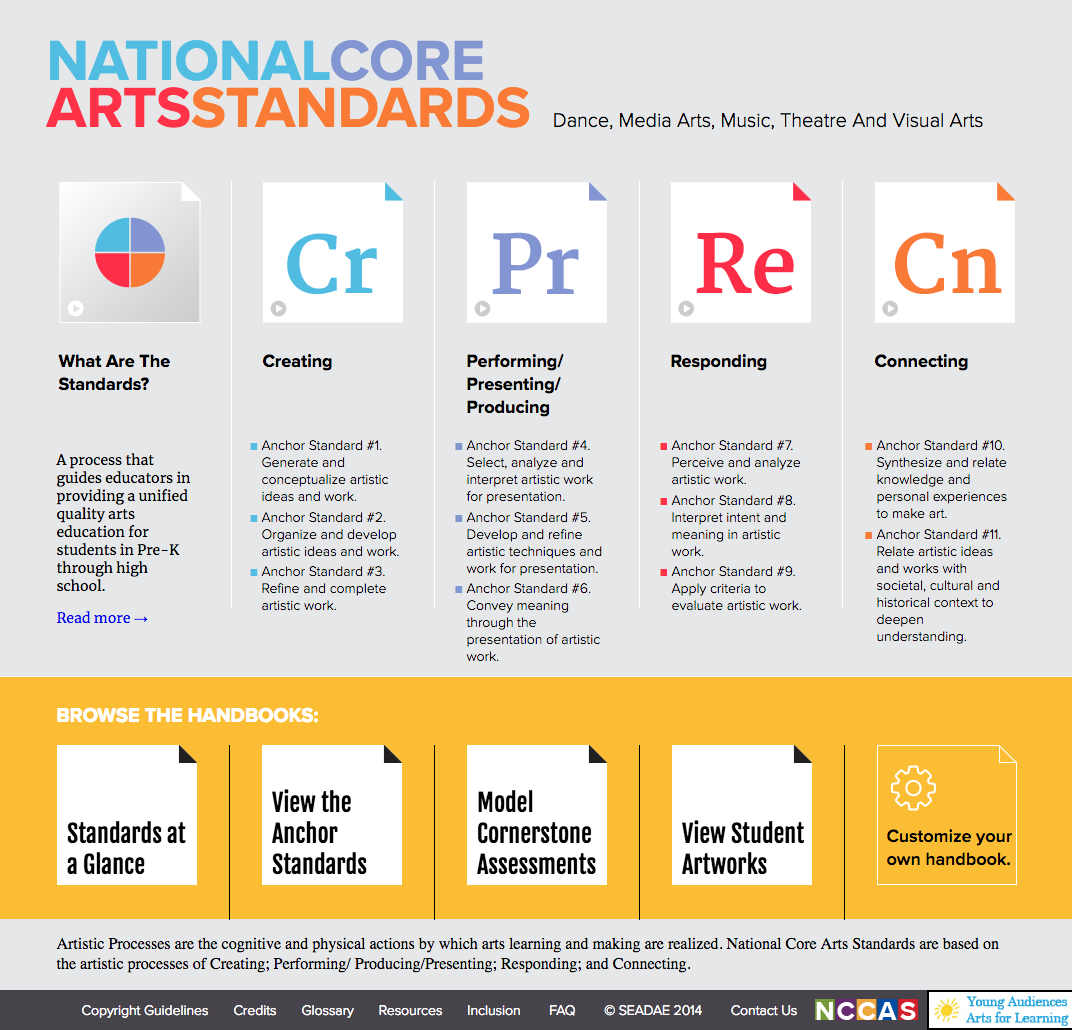
If you are unfamiliar with the terms “formative,” “summative,” “diagnostic” and “authentic” assessment, or other educational jargon, or are not fully aware of your state’s arts and humanities standards and the National Core Arts Standards, don’t panic. (Many of us “veteran” music teachers were in the same boat at the beginning of student teaching, regardless of how much material was introduced in our education methods courses.) Do some “catch-up” by visiting  the corresponding websites. For example, in pmeaPennsylvania, you should be a member of PCMEA and take advantage of the research of the PMEA Interactive Model Curriculum Framework. Some educational “buzz words” and acronyms were explored in a previous blog here. It should be noted that, although you won’t be expected to know the full PreK-12 music curriculum while student teaching, when you are hired as “the music specialist,” you would likely be the professional who will be assigned to write and update that same curriculum… so get to know it ASAP. (On my second day in my first job, my JSHS principal came to me and said a course of study for 8th grade music appreciation was due on his desk by the last week of the semester! No, like you, I was not trained in writing curriculum in college!)
From the Penn State University Partnership for Music Teacher Excellence: A Guide for Cooperating Teachers, Student Teachers, and University Supervisors, the following criteria are recommended to be used by the cooperating teacher and the student teacher to assess the effectiveness of a long-term course of study. (Sample plans are provided here.)

  1. Stated learning principles are related to specific learner or student teacher
    activities.
  2. The importance of the course of study is explained in terms learners would likely
    accept and understand.
  3. Each goal is supported by specific objectives.
  4. The sequence of the objectives is appropriate.
  5. The goals and objectives are realistic for this group of learners.
  6. The objectives consider individual differences among learners.
  7. The content presentation indicates complete and sequential conceptual
    understanding.
  8. The presentation is detailed enough that any teacher in the same field could
    teach this unit.
  9. The amount of content is appropriate for the length of time available.
  10. A variety of teaching strategies are included in the daily activities.
  11. The teaching strategies indicate awareness of individual differences.
  12. The daily plans include a variety of materials and resources.
  13. The objectives, teaching strategies, and evaluations are consistent.
  14. A variety of evaluative techniques is employed.
  15. Provisions are made for communicating evaluative criteria to learners.
  16. The materials are neatly presented.

It is important sit side-by-side with your cooperating teacher and discuss some of these “essential questions” of instructional planning and assessment of student teaching:

  • What is the purpose of the learning situation?
  • What provision have you made for individual differences in learner needs, interests, and abilities?
  • Are your plans flexible and yet focused on the subject?
  • Have you provided alternative plans in case your initial planning was not adequate for the period (e.g. too short, too long, too easy, too hard)?
  • Can you maintain your poise and sense of direction even if your plans do not go as you anticipated?
  • Can you determine where in your plans you have succeeded or failed?
  • On the basis of yesterday’s experiences, what should be covered today?
  • Have you provided for the introduction of new material and the review of old material?
  • Have you provided for the development of musical understanding and attitude as well as performance skills?


dockan1

Getting Your Feet Wet… Becoming an “Educator”

[Source: Chadwick and Vest]

Be attentive to the needs of the students and your cooperating teacher. If you see a need that arises that the CT cannot or is not addressing, then take action. Don’t always wait to be told what to do. These situations may include:

  • Singing or playing with students who are struggling
  • Work with a section or small group of students
  • Helping a student with seat/written work
  • Attending to a a non-musical problem (such as student behavior)

Your supervising teacher or music education coordinator will probably instruct you on how much and when to teach, but each school and CT is different. In general, you should start teaching a class full-time by week 3 and have at least two weeks of full-load teaching per placement. (This is not always possible.)

Remember that any experience is good experience, so be grateful if you are asked to teach early-on in your experience.

What the supervising and/or cooperating teachers are looking for during an observation:

  1. The Lesson Plan
    • Lesson organization (components, logical flow, pacing, time efficiency)
    • Required components included
    • National and State Standards Included—and these have/are changing!!!!
    • Objectives stated in observable terms and tied directly to your assessment(s)
    • What the US/CT is looking for during an observation
  2. Teaching Methods
    • Questioning techniques (stimulate thought, higher order, open-ended, wait time)
    • Appropriate terminology use
    • Student activities that are instructionally effective
    • Teacher monitoring of student activities, assisting, giving feedback
    • Opportunities for higher order thinking
    • Teacher energy/enthusiasm
  3. Classroom Management
    • Media and materials are appropriate, interesting, organized and related to the unit of study.
    • Teacher “with-it-ness”
    • Student behavior management (consistency, classroom procedures in place, students understand expectations)
  4. Student Involvement/Interest/Participation in the Lesson
    • Student verbal participation
    • Balance of teacher talk/student talk
    • Lots of  “musicing” (singing, playing, listening, moving)
    • Student motivation
    • Student understanding of what to do and how to do it
  5. Classroom Atmosphere
    • Positive, “can-do” atmosphere
    • Student questions, teacher response
    • Helpful feedback
    • Verbal and non-verbal evidence that all students are accepted and feel that they belong

Student teaching is the opportunity of a lifetime. This is when you get to practice your pedagogical skills, make invaluable professional connections,  and learn lifelong lessons. Sure, it will take a lot of hard work and dedication. As TeacherHub concluded, “Use this time to learn and grow and make a great impression. Stay positive and remember student teaching isn’t forever – if you play your cards right, you will have a classroom of your own very soon.”

PKF


dockan3

Bibliography

A Field Guide to Student Teaching in Music, Ann C. Clements and Rita Klinger

A Guide to Student Teaching in Band, Dennis Fisher, Lissa Fleming May, and Erik Johnson, GIA 2019

Handbook for the Beginning Music Teacher, Colleen Conway and Tom Hodgman, 2006

Including Everyone: Creating Music Classrooms Where All Children Learn, Judith A. Jellison, 2015

Intelligent Music Teaching, Robert Duke

Music in Special Education, Mary S. Adamek and Alice Ann Darrow, 2010

Partnership for Music Teacher Excellence: A Guide for Cooperating Teachers,
Student Teachers, and University Supervisors,
Penn State University Music Education Faculty Ann Clements, Robert Gardner, Steven Hankle, Darrin Thornton, Linda Thornton, Sarah Watts  https://music.psu.edu/sites/music.psu.edu/files/music_education/pmte-student_teaching_handbook.pdf

Remixing the Classroom: Toward an Open Philosophy of Music Education, Randall Everett Allsup, 2016

A Student Teaching Survival Guide, Janelle Cox https://www.teachhub.com/student-teaching-survival-guide

Student Teaching in Music: Tips for a Successful Experience, Blair Chadwick and Dr. Johnathan Vest https://www.utm.edu/departments/musiced/_docs/NAfME%20%20Student%20Teaching%20in%20Music.pptx

Teaching Music in the Urban Classroom, Carol Frierson-Campbell, ed.

Teaching with Vitality: Pathways to Health and Wellness for Teachers and Schools, Peggy D. Bennett, 2017


© 2019 Paul K. Fox

“Top 10” Organizing Tips for 2019

Food for Thought for “Getting Your Stuff Together”

Once in awhile, someone suggests an article that might be suitable for everyone who stumbles upon this website… retired (but very busy) music teachers, active music educators, collegiates, and music students of all ages. Of course, I cannot resist putting together my own list of ways to become a better time manager and efficiency expert… mainly because I was never that organized when I taught classes in three buildings, assisted in marching band, produced plays and musicals, and served as a curriculum leader during my 35+-year career. (“Do as I say, don’t do as I do…” or did!) It’s now easy to recommend… and after trolling the Internet a little, backing up this advice with numerous “expert” protagonists.


checklist-2077023_1920_TeroVesalainen

1. Throw out the “to-do list” and use a calendar

“Millionaires don’t use to-do lists. If something truly matters to you, put it on your calendar. You’ll be amazed at how much the likelihood of getting it done increases.”

– Srinivas Rao at https://getpocket.com/explore/item/why-calendars-are-more-effective-than-to-do-lists

According to The Muse (https://www.themuse.com/advice/8-expertbacked-secrets-to-making-the-perfect-todo-list), “41% of to-do tasks are never completed.” Janet Choi on LifeHacker (https://lifehacker.com/5967563/master-the-art-of-the-to-do-list-by-understanding-how-they-fail) maintains that for most people, there are four problems for using to-do lists:

  1. We have too many to-do’s.
  2. We’re not good at making to-do lists.
  3. We give ourselves too much time.
  4. “The future is full of unknowns, interruptions, and change.”

paper-3141341_1920_rawpixelSupported by Dan Ariely and his team at Timeful (a company acquired by Google), Srinivas Rao writes at https://getpocket.com/explore/item/why-calendars-are-more-effective-than-to-do-lists that we should throw away the to-do list and use a calendar app like Google Calendar for tasks and reminders, to set goals, and to schedule meetings.
Srinivas adds, “Just the act of putting these things on the calendar for some reason seems to significantly increase the likelihood that I actually do them.”


2. But there’s still a good reason for keeping your a note-taking app.

Combine a virtual assistant like Apple “Siri” or Amazon “Alexa” with an application like “Evernote” for “brainstorming” to get your thoughts organized.

Perhaps creating to-do lists may or may not work in your day-to-day environment, but the use of note-taking apps with voice-activated personal assistants may be the ticket to sketch out your short to long-term planning and even respond to email or other forms of writing drafts. Basically, I find I talk faster than I can type!

Jill Duffy offers these assessment criteria for picking the “best for you” digital note-taking tool at the blog-site Zapier (see https://zapier.com/blog/best-note-taking-apps/):

  • EvernoteEasy to set-up
  • East to use
  • Specialized to fit your needs
  • Good value (some require no subscription fees)

She reviews Evernote (my personal favorite), Microsoft OneNote, Paper, Quip, and Simplenote for day-to-day use.

A lot of my blog writing is generated using voice recognition by Siri dropped into the Evernote app. It has worked well for me. However, if you are running errands in the car, or even taking a longer trip on the highway, it is not recommended to dictate your manuscript while driving! Your attention is drawn away from watching the road to check on the status of your “writings,” and Siri does not always hear things right the first time! Even if you do not look at your phone while talking to your device, you will find that your distracted “brainstorming out-loud” may cause you to miss an exit or even sit unresponsive at a green light. Never note-take and drive at the same time!


important-1705212_1920_geralt.png

3. Of course, you have to set priorities!

I was never good at going from brainstorming to finalizing the goals and action plans! It seems easier to “think outside the box” than to construct that multi-leveled box of jobs!

Tatyana Sussex at Liquid Paper (https://www.liquidplanner.com/blog/how-to-prioritize-work-when-everythings-1/) proposes these steps for “How to Prioritize Work When Everything Is Number 1.”

  1. Collect a list of all your tasks.
  2. Identify urgent vs. important.
  3. Assess value.
  4. Ordered tasks by estimated effort.
  5. Be flexible and adaptable.
  6. Know when to cut.

Benjamin Brandall contributes additional insight on systems for prioritizing at https://www.process.st/how-to-prioritize-tasks/, defining “the Four D’s” (see section #5) and my favorite concept, “When you have two frogs to eat, eat the ugliest one first.”

Finally, should you feel you need it, definitely revisit the inspiration of Stephen Covey, especially in his book, First Things First or this website: https://www.franklincovey.com/the-7-habits/habit-3.html.


4. Creative things should come first!

cello-521172_1920_enbuscadelosdragones0As musicians and music teachers, this suggestion may hit home: Do something that stimulates your “right brain” with acts of personal self-expression or artistry every day, and schedule it both intentionally and early!
What makes you want to get out of bed in the morning? Playing an instrument or singing? Composing? Writing? Painting or drawing?

I have previously blogged about ways to enhance your daily creativity quotient:

I also like this Inc. article: “32 Easy Exercises to Boost Your Creativity Every Day.”

“Here is what I’ve learned from these creative warm-ups: my thinking continues to be more flexible and multi-dimensional throughout the day. I approach work challenges with less fear and more playfully; I’m more open to see things in new and unexpected ways… And that makes all the difference.”

– Ayse Birsel, author of Design the Life You Love


board-2449726_1920_rawpixel

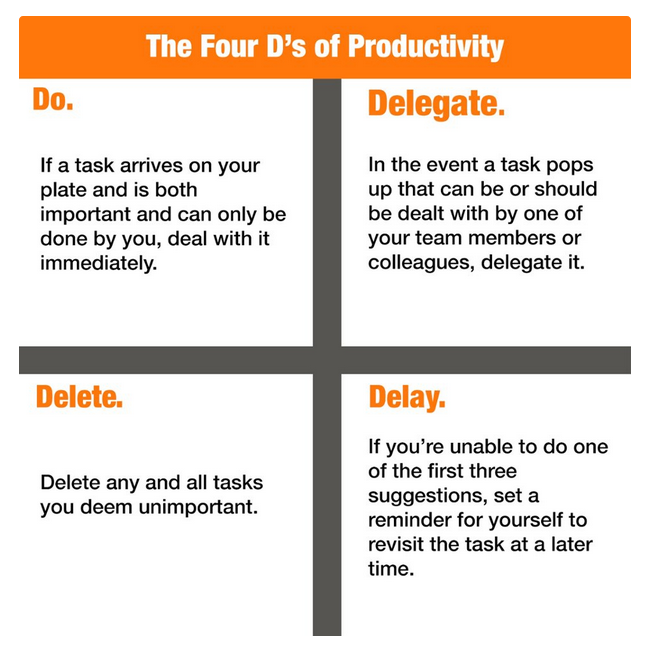
5. Adhere to the “four D’s” system of productivity.

Have you heard of Priority Manager or other systems of paper and digital notes management? My favorite… the four D’s was previously blogged at https://paulkfoxusc.wordpress.com/2017/12/01/help-how-does-one-keep-up/.

  • Do it! (Act on it immediately!)
  • Delay or Date it! (Assign it to the future!)
  • Delegate it! (Give it to someone else to do!) or
  • Dump it! (Delete or move it into the trash)

Check out the practical advice unveiled at https://blog.hubspot.com/sales/4-ds-of-productivity. I particularly liked Mike Renahan’s visual which sums up the system:

Four Ds


6. Devote at least 30 minutes a day to professional reading.

“Why did the busiest person in the world, former president Barack Obama, read an hour a day while in office?”

“Why has the best investor in history, Warren Buffett, invested 80% of his time in reading and thinking throughout his career?”

“Why has the world’s richest person, Bill Gates, read a book a week during his career? And why has he taken a yearly two-week reading vacation throughout his entire career?”

Answer? “If you’re not spending five hours per week learning, you’re being irresponsible.”

– Michael Simmons at https://qz.com/work/1124490/5-hour-rule-if-youre-not-spending-5-hours-per-week-learning-youre-being-irresponsible/

***

“In the busy teaching day, it can often be the last thing on your mind to dive into some professional reading. So, why should you make it a priority and how can you utilize your time effectively to fit it in?”

– Hazel Brinkworth at https://www.teachertoolkit.co.uk/2018/10/09/time-to-read/

It seems obvious, doesn’t it? Teachers have to “keep up” with their “craft,” explore mobile-791071_1920_kaboompicsdeveloping innovations, trends, and movements in their field, and embrace better instructional techniques and use of media for their students!

“I don’t have time” means you are not a true professional. Doctors and other medical care providers, lawyers, investment counselors, clergy, etc. – you name the “profession” – must continually renew their knowledge-base and “sharpen their saws.” Regular reading and attending conferences help motivate you, “recharge your batteries,” retool for the formation of new goals, review better strategies, and introduce improved teaching methods, materials, literature, and technologies.

The aforementioned Teacher Toolkit website scripts tips on how to get started:

  1. Focus your topic of interest.
  2. Know where to look.
  3. Listen instead of reading!
  4. Set aside a regular time slot in your week.
  5. Find a quiet place.


iphone-410324_1920_JESHOOTScom

7. Cut back on your “screen time,” especially closer to your bedtime.

“There’s a lot of debate about how much screen time is too much screen time, specifically for children, but also for adults. Likely you’ve heard about how it’s a good idea to stop using our electronics in the evening so you can wind your brain down for bed. But when it comes to screen time, the only thing that seems conclusive is that there’s such a thing as too much and that it may be different for everyone and depend on the circumstances.”

Interesting Engineering blog-site offers these “11 Easy Ways to Reduce Your Screen Time” (https://interestingengineering.com/11-easy-ways-to-reduce-your-screen-time).

  1. Eat your meals without a screen
  2. Limit your non-work screen time
  3. Don’t watch movies or TV in bed
  4. Cut down on computer socializing
  5. Set a timer
  6. Ban phone charging from the bedroom
  7. Take up another hobby for boredom
  8. Schedule a meeting phone call instead of using chat
  9. Think of other ways to access information
  10. Get your news in a condensed feed
  11. Exercise while you watch


8. Are you  getting enough sleep?

male-3730041_1920_Engin_AkyurtThe answer is… probably not.

According to a 2013 Gallup Study (the last year Gallup published a sleep study), the average American sleeps only 6.8 hours a day — and that number may be getting worse over the last several years.

Most experts recommend we receive 7 to 9 hours per night, but the quality of sleep is just as important as the quantity. The HelpGuide website (https://www.helpguide.org/articles/sleep/sleep-needs-get-the-sleep-you-need.htm/) posted this chart with data from the National Sleep Foundation:

sleep

Brittney Morgan at https://www.apartmenttherapy.com/how-to-hack-your-sleep-schedule-and-get-your-full-8-hours-242712 suggested these remedies:

  1. Ease into an earlier bedtime.
  2. Rethink how you use alarms.
  3. Create a sleep routine.
  4. Unplug and de-stress before bed.
  5. Write out your thoughts.
  6. Limit alcohol and caffeine

spiral-notebook-381032_1920_kathrin_I remember when I taught full-time and was in the middle of a full-blown musical production, I sometimes laid awake feeling “stirred up” inside trying to think of all the things I needed to do the next day. #5 of Brittney’s list is solved by putting a legal pad and a good pen by your bed stand, and without awakening your spouse, roll over and jot down a few of your “don’t forgets.” Or if you prefer to use the magic of technology, you can do this digitally… take a minute or so and use your tablet or smartphone, but don’t stay up very long and let the screen’s blue-light make your insomnia worse. Revisit title heading #2 above for note-taking apps.

It’s absolutely amazing the number of sources you can find on the web for additional advice for improving your sleep habits:


9. Get rid of the stuff you don’t need

“Now and again, everyone faces a big life transition. For me, it was when I lost my father — right around the time I realized my kids were rapidly growing up (funny how that sneaks up on you, huh?). I started to think about how I really wanted to live my day-to-day life. From the clothes on my body to stuff in my home, I wanted to stop perpetuating things that made me feel bad about myself.”

minimalism-241876_1920_bohemienne“Much like Gilligan and his infamous “three hour tour,” what I thought might be a quick clean-out extravaganza turned into an epic, six-month journey through the nether reaches of my closets and my psyche. Along the way, I learned many things from Maeve about organization — and more than a few things about myself that changed my relationship with my stuff.”


“This is tough for anyone, but it’s a crucial step in regaining control over your stuff. I was really honest with myself, and resolved to not beat myself up over getting rid of (or donating) things we didn’t need — even if they were in good shape. When you start to think of your things as part of an ecosystem for your life, it becomes easier to pare down to only the stuff you really love.”

Ask yourself, how often do you “purge the junk” from your home?

Showcased on Beginning Minimalist, Joshua Becker also shares “10 Creative Ways to De-Clutter Your House” at https://www.becomingminimalist.com/creative-ways-to-declutter/. Be sure to read what he refers to the Oprah Winfrey Closet Hanger Experiment, now my “new favorite” way of discarding seldom-worn clothing.


clutter-360058_1920_Kasman

10. Don’t forget to organize your living spaces.

In “7 Smart Organizing Tricks You Probably Have Not Tried” (https://www.realsimple.com/home-organizing/organizing/smart-organizing-tricks), Louisa Kamps recommends these logical time-savers and better spacing engineering techniques:

  1. Expose everything in your dresser drawers
  2. Store like with like.
  3. Be mindful of the pleasure your possessions give you.
  4. Keep your workspace clean and clutter free.
  5. Streamline your files.
  6. Create effective to-do lists (or see #1 above)
  7. Make “mise-en-place” a way of life.

Need more household tips? One Crazy House also provides a wealth of ideas in their blog-post, “17 Clever Organizing Tricks You’ll Wish You’d Known Sooner” by Donella Crigger at https://www.onecrazyhouse.com/organizing-tips-tricks/. And, if seventeen are not enough, what about over a hundred? Go to the Good Housekeeping’s site: https://www.goodhousekeeping.com/home/tips/g2610/best-organizing-tips/.


Hopefully these hints help you “tidy up” for the New Year, and bring you more productivity, peace of mind, and joy in your lives!

PKF

© 2018 Paul K. Fox

ring-binders-aligned-2654130_1920_AbsolutVision


Photo credits in order from Pixabay.com: “young” by kaboompics, “checklist” by TeroVesalainen, “paper” by rawpixel, “important” by geralt, “cello” by enbuscadelosdragones0, “board”by rawpixel, “mobile” by kaboompics, “iPhone” by JESHOOTScom, “male” by Engin_Akyurt, “spiral-notebook” by kathrin, “minimalism” by bohemienne, “clutter” by Kasman, and “ring-binders” by AbsolutVision.

How Retirement Has Changed Me

Part I: One retiree’s quest for learning technology, science, and history

Freedom! “Living the dream” in post-employment life has opened so many new avenues of exploration, allowing me to embrace many things I have always wanted to try. Released from the 24/7 nature of running a music program, classes and/or ensembles (even at rest, your mind is still “back at work” thinking about your next lesson or concert selection – and we all know how much time we spent on extra-curricular activities and professional development), you must now find your own intellectual stimulation, replenish your “curiosity quotient,” rekindle your creative self-expression, and re-invent yourself. laptop-1242490

Gone are the days that my laptop computer was used mostly for taking daily homeroom and class attendance, updating the student data in MMS or the grade-book program, and reading school emails and directives from administration. Thank god, those forms of “technology” are “retired” (probably permanently for me).

Following my own advice from this series of blogs on retirement resources, I have had no trouble “finding purpose, structure, and community,” emphasized by Ernie Zeliniski as key components in his bestselling book, How to Retire Happy, Wild, and Free. However, keeping track of the schedule (since it is ever-changing) can be a challenge! Our numerous appointments, lunch dates, babysitting chores, volunteer hours, and medical checkups now land at more unpredictable dates. Happily, the iPhone calendar app, which is linked to my wife’s devices, too, calendar-series-2-1192572is the most essential “tech tool” to maintain your “now busier than ever” daily/weekly plan.
It should be mentioned, if you are a fan of Google gmail, there is also an excellent Google Calendar, as well as a place for contacts, documents, and photos stored safely “in the cloud.”

Updates and Passwords

Retirement provides me more time to literally “figure out technology.” Although I would never claim to have much skill as a nerd (nor would I ever try to seek employment as a member of the highly esteemed Geek Squad), I am finally taking the necessary steps to update my software more regularly, download revised apps, and even go as falinux-login-1497422r as changing my passwords. Everyone knows, with hackers lurking around every corner of the Internet, you are supposed to do two things: have a different password for each application, and from time to time, change these passwords. They should not be something someone else could guess, like “1234” or your phone number or the nickname “foxy” for me. A “good” password should utilize numbers, capitalized letters and small-case, and special characters like $, &, or underline. Using a password manager program like Last Pass (my favorite, and it also comes with a “free version”), you can generate totally random characters for any password and maintain a secure “password vault” under one “master password.” For password manager reviews, check out PC Magazine: http://www.pcmag.com/article2/0,2817,2407168,00.asp.

Media Moments

When I was teaching, after a long day of classes and rehearsals, the purpose of the television was to put me to sleep when I got home. Of course, that has not changed much. I hate television. There are very few programs in which I am interested. However, I finally got around to discovering what Amazon Prime and Netflix offer. Crazy old Trekkies like me can now can view every episode of the original Star Trek series in chronological order. When my wife revisits her fixation on the new Gilmoreleo-logo Girls three-part movie or The Crown (Netflix), all I have to do is go into another room, fire up my computer’s browser, and check out the latest video podcast of “Leo the Tech Guy” (techguylabs.com) or any number of the playlists of Ted Talks (these about music caught my notice):

silent-serviceOne of my hobbies furthest from a career in music education has to do with collecting and reading books about World War II, particularly U.S. Navy, submarines and surface fleet. One of my fellow hospital volunteer escorts, a veteran of the Vietnam war, turned me on to the free classic online episodes of T.V. series The Silent Service, for example the 25-minute 1957 broadcast of  SS Tinosa Story #8310 (https://www.youtube.com/watch?v=g1nESHgqAnY) archived by Persicope Film LLC.

Almost anything can be found on the Internet. Archived in YouTube, do you remember that old science film your elementary teacher may have shown called  “Hemo the Magnificant” https://www.youtube.com/watch?v=08QDu2pGtkc? Although the content is out-dated, I can’t help being a little nostalgic in sharing the entire “Bell Lab Telephone” series:

  1. Our Mr. Sun (1956)
  2. Hemo the Magnificent (1957)
  3. The Strange Case of the Cosmic Rays (1957)
  4. The Unchained Goddess(1958)bell-lab
  5. Gateways to the Mind (1958)
  6. The Alphabet Conspiracy (1959)
  7. Thread of Life (1960)
  8. About Time (1962)
  9. The Restless Sea (1964)

The Rise of “Siri” and other Personal Assistants

My new girlfriend Siri has become a constant trip partner, not just for using turn-by-turn directions (often needed since my wife would tell you I can get lost in my closet), but to open up opportunities for brainstorming and sound out new ideas for my  writing. Whenever I am “on hold” sitting in a doctor or dentist office, doing family shopping at the mall, or even waiting for traffic at an accident or during rush hour, my hands-free blue-tooth connection allows me to “babble” my thoughts into an app called Evernote, which provides (not always accurate) transcripts that can be downloaded from any of my devices including my computer. Later on, I can use the text as a basis for an article’s outline or to add to my “honey-do” list. However, just remember, you should not use this “tech technique” while driving… the distraction of turning Siri on and off or viewing your last entry does not allow for safe/alert driving!

echoPowered by artificial intelligence, other voice-activated virtual assistants and knowledge navigators including products like Google Home and Amazon Echo (with a different “girlfriend” named “Alexa”) are flooding the market. This should be no surprise… the 21st Century seems to be developing many new inventions of super-automation, not so far from the female-voiced computer interface on the USS Enterprise (Star Trek) that could control everything. Soon you may take a ride from Uber in a driver-less car or “program” the autopilot on your pure-electric Tesla. Do you foresee the time when you will accept your Amazon merchandise or pizza being delivered from the air? What were those drone-operated lights we saw in the background of Lady Gaga’s halftime performance at the 2017 Super Bowl… possible future special effects for HS musicals and marching band shows?

My generation of teachers who entered the profession had no experience or training in microcomputers, tablets, smartphones, smart watches or other devices, or virtual reality headsets. (They weren’t invented yet!) Throughout the advent of technological “innovations,” many of us felt like we were “technology immigrants” trying to catch-up! It was easier for those “technology natives” born after 1980 since they grew up with the Internet. Change is inevitable, and we are all life-long learners. So it almost goes without saying: You can teach an old dog new tricks… even retired music teachers and other baby-boomer retirees how to grasp the fundamentals and benefits of technology, media, and online learning.

PKF

© 2017 Paul K. Fox

(First four photo credits: Ned Horton, Jean Scheijen, Maxime Perron Caissy, and Joshua Davis at FreeImages.com)